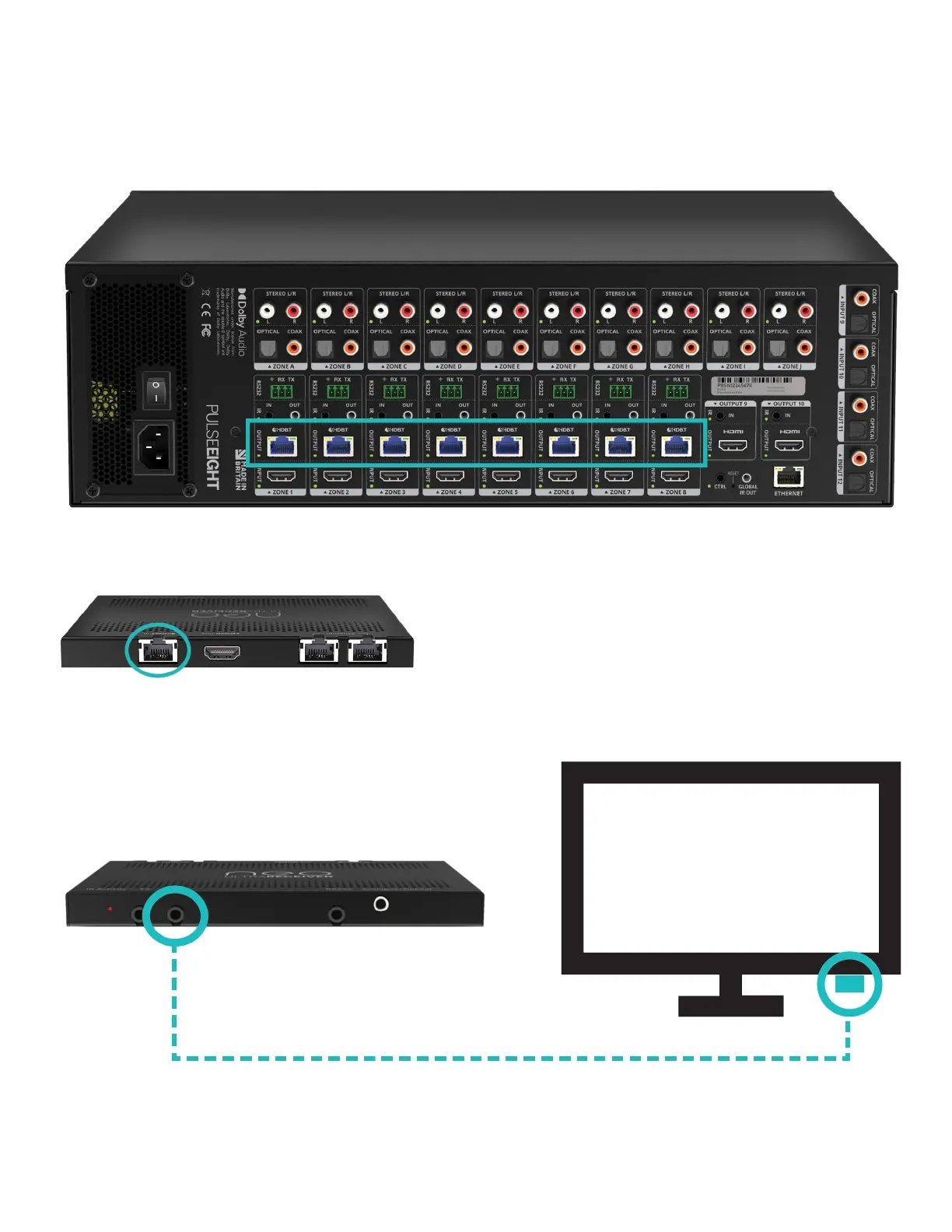
CONNECTINGTHEHDBASETVIDEOOUTPUTS
5.ConnecttheappropriateCat5eorhighergradecabletoeachHDBaseToutputportyourequire.
Note: It is recommended, for ease of setup, to connect devices from Output 1 to Output 8 first.
6.CompletetheconnectionbyattachingtheotherendoftheCatcabletoasuppliedneoReceiver's
'HDBaseTIn'port.Thereceivershouldbesituatedattheoutputend(i.e.TV).
7.AttachedasuppliedIRreceiver(shinysurface)intotheReceiver'sIRRXportandattachthebudto
theundersideofthesinkdevicewiththesmallestendforward,asperthediagram.
8.FinishtheconnectionusingtheappropriatehighspeedHDMIcablefromtheoutputdeviceand
connecttotheReceiver's'HDMIOut'port.



 To Next Page