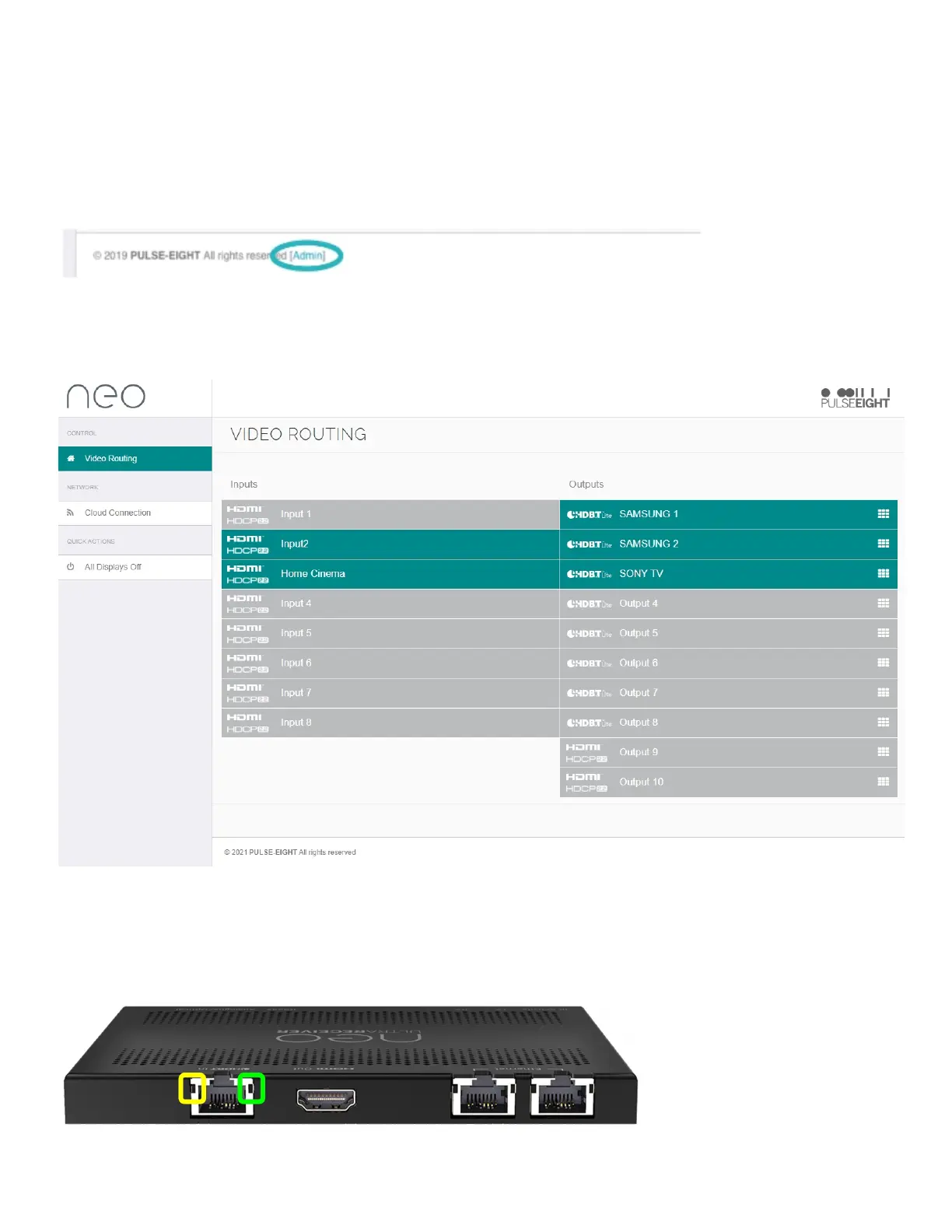
CONNECTINGTOADMINWEBINTERFACE
18.Usingacomputerconnectedtosamerouter/network,accessandlogintotheWebInterfaceby
visitingwww.gotomymatrix.cominyourwebbrowser.
19.ActivateadministrativerightsbyclickingontheCloudConnectiontabonthelefthandnav,then
clickonthe'[Admin]'linkatthefootofthepage.
20.WhilstontheCloudConnectionpage,insertyourInstallerIDintotheboxandsavechanges-this
willenablethematrixtobelinkedtoyourmonitoringaccount.IfyouhavenotsetupaninstallerID
pleasecontactyourPulse-Eightrepresentative.
21.Withinthisinterfacearemanysetupoptions-pleaserefertothefullinstallationguideforfurther
details.
LEDSTATUS
22.ChecktheLEDsontheHDBaseTportsoftheReceiverandTransmittertoensurecorrectinstallation
andconnection:


 To Next Page