ALEXAVOICECONTROLSETUP
Installthe'neo'AlexaskillfromAmazonontheAlexaapp.
OntheCloudConnectiontab,clickthe'SetupVoiceServices'button,thiswilltakeyoutomy.pulse-
eight.comwithinstructionsonsetup.
Clickonthe'LoginviaAmazon'buttonandproceedtologintoyourAmazonaccount.Apagewillappear
listingyourdiscovereddevices-thesearethesystemsavailableforAlexacontrol.Click'Connect'next
totheappropriatesystem.
TellAlexato'DiscoverDevices'-yoursystemshouldnowbeconnected.
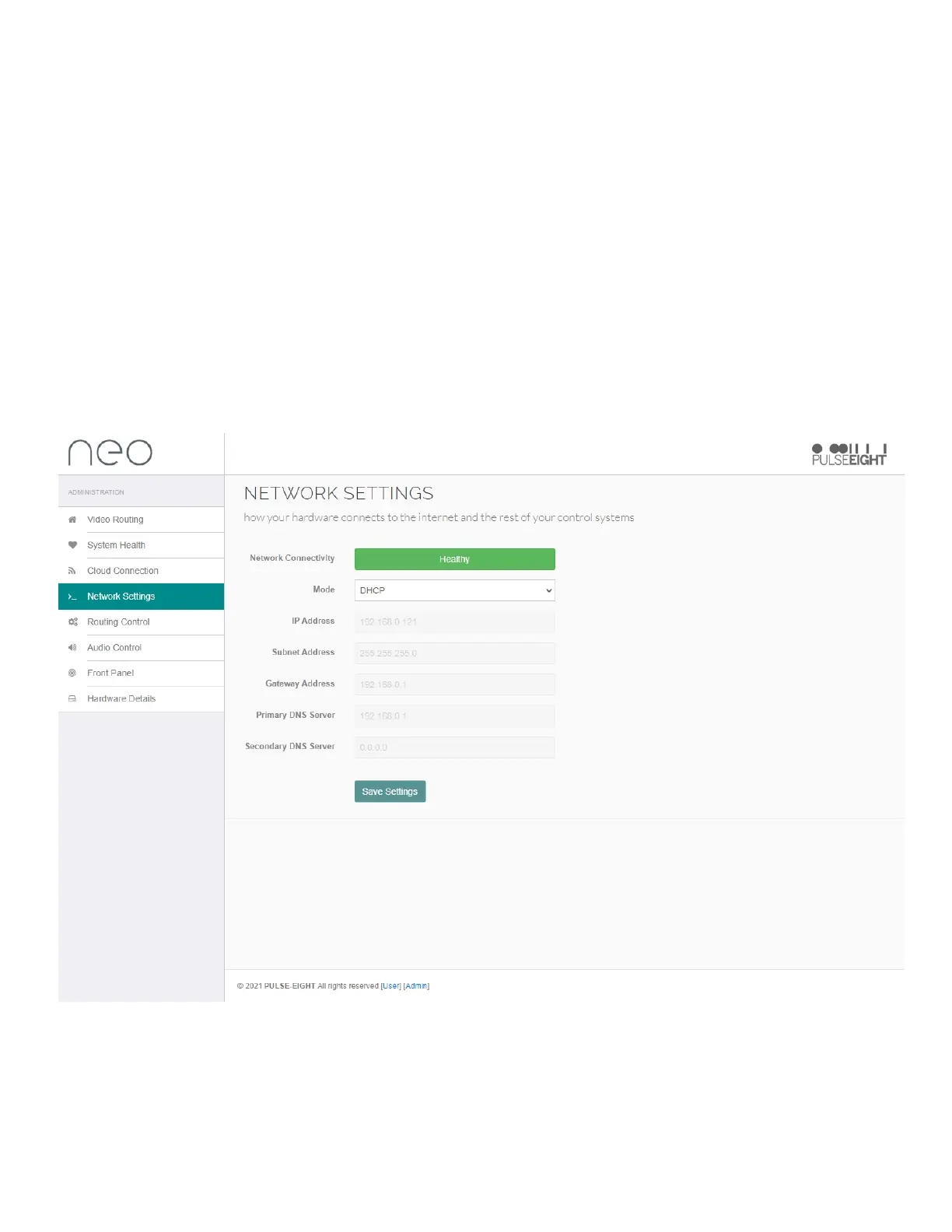
NETWORKSETTINGSTAB
UndertheNetworkSettingstabyouwillfinddetailsaboutthesystem'sconnectiontotheinternetand
therestofyourcontrolsystems:
NetworkConnectivity:Thiscolourcodedstatuswillnotifyyouifthesystemisconnectedtoanetwork
orifthereisanissue.
Mode:DropdownmenutoeithersetastaticIPandDHCP.
Note: Ensure that after any changes you click save changes button.


 To Next Page