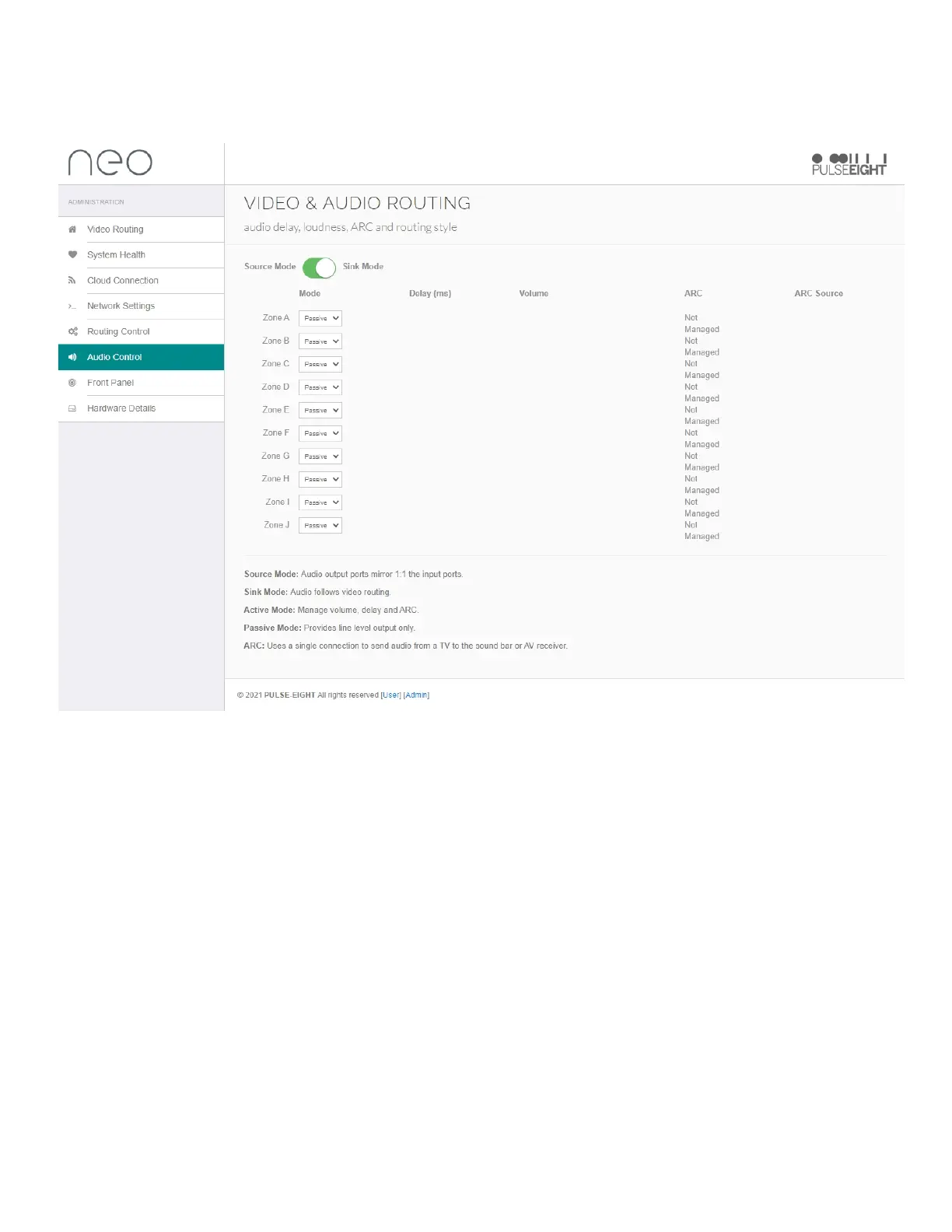
AUDIOCONTROL
TheAudioControltabfeaturesaudioroutingsettingsforeachaudiooutputzoneofthematrix.
ThefirstoptiontogglesthematrixbetweenSourceMode,whichdoes1:1mirroringoftheinputportsor
SinkMode,thatallowsaudiotofollowthevideorouting.
Whenusingsinkmode,thefollowingsettingsfortheindividualZonesettings:
Mode:DropdownmenutochoosetheoptionofeitherActiveMode,tomanagevolume,delayandARC
orPassiveMode,whichprovideslineleveloutputonly.
WhenActiveModeisselected,thefollowingoptionswillappear:
Delay:Aslidertoadjusttheaudiodelayupto340ms
Volume:Aslidertoadjustthemastervolumeoftheaudiooutputzone
ARC:Adropdownmenutoselectaudioreturnfunction-choosebetweenHDMI,opticalordisabled
dependingontheconnectionyouhavechosenontheReceiver.
ARCSource:Displaystheaudioreturnsource.


 To Next Page