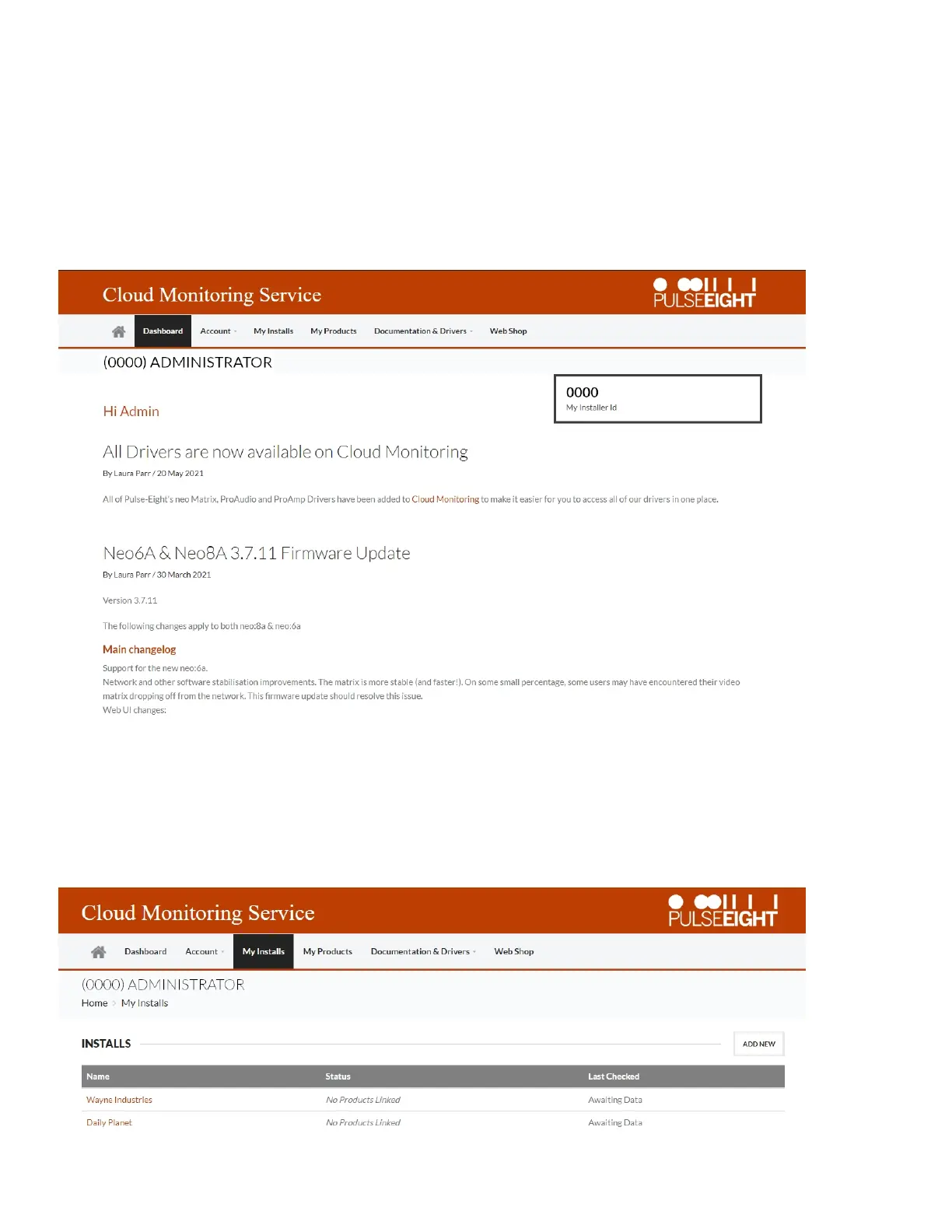
MonitoringPortal
ACCESSTHEMONITORINGPORTAL
Toaccessthemonitoringportalpleasevisitmonitoring.pulse-eight.com,click'Login'inthetopleft
cornerandsigninwithyourregistereddetails.
Onceloggedin,thedashboardwilldisplayyourdetailsincludingyourInstallerID.Ifyoudon'thavean
installerIDpleasecontactyourPulse-Eightrepresentativetogetanaccountcreated.
MYINSTALLS
UndertheMyInstallstabyoucanaddprojectsandassignyourinstalledsystemsinordertoeasily
accessandmonitorcertaininstallations.
Tocreateaninstall,clickthe'AddNew'buttonandinsertthedetailsonthefollowingscreen.


 To Next Page