20
Listening to Internet Radio and more EVOKE Flow Owner’s Manual v1.0
ABC DEFGHIJKLM
NOPQRSTUVWXYZ
sp0123456789
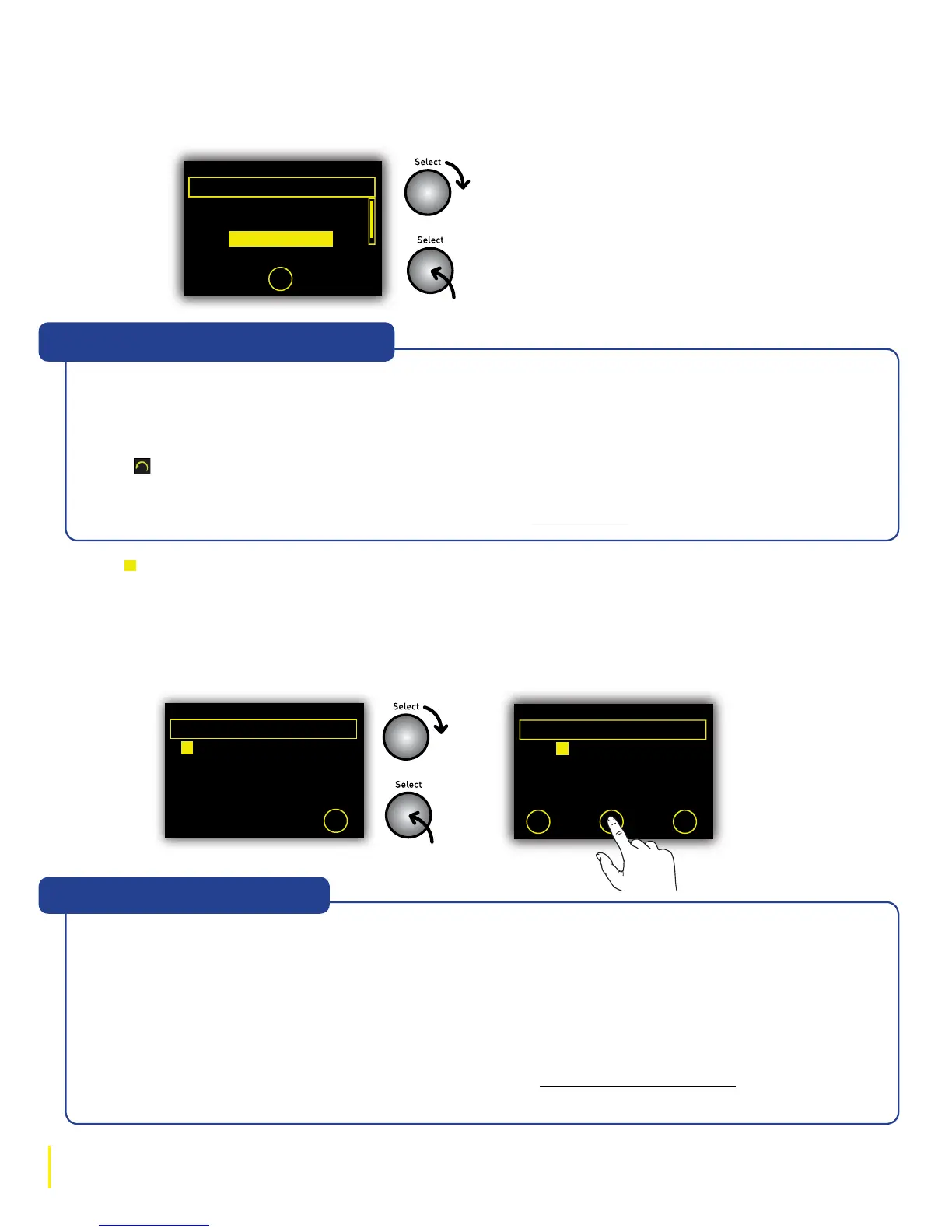
Enter key or password
Delete Save More...
6578616D706C
2 Highlight and select the name of your wireless network from the list.
Enter your WEP or WPA/WPA2 key or password
1 If you see ‘Enter key or password’ enter the WEP, WPA or WPA2 key or the password for your
wireless network. Rotate the Select dial to highlight characters and push to enter; tap
O Delete to erase characters (press and hold to erase all); tap O More... to see lower-case
letters; and tap O Save to finish (O Save only appears when you’ve entered a compatible
number of characters).
(3)BT Home Hub A102
(9)SmithFamily
Select wireless network
- No network selected -
Manual
A BCDEFGHIJKLM
NOPQRSTUVWXYZ
sp0123456789
Enter key or password
More...
Key or password
entry screen
Selecting a
wireless network
A WEP, WPA or WPA2 key is a sequence of letters and numbers that prevents unauthorized access
to a secured wireless network. Devices like EVOKE Flow need the encryption key in order to connect
to your wireless network. It is usually 26 or 64 characters long depending on how your wireless
network is configured and in some cases a shorter password can also be used instead of a full key.
You may have noted down the key or password when you set up your broadband account and/or
wireless network (or you could ask the person who set up your wireless network).
If you can’t find your key or password, don’t panic. See Chapter 8, Help and Advice for more help on
finding this important information.
“Help! What is a WEP key?”
If you see the message ‘No networks found’ or ‘Wireless network error’ try moving your radio
nearer to the router and moving the router to a higher position (eg, on a shelf) away from metal
objects. Tap O Retry to re-scan for visible networks.
If networks are displayed but your wireless network is not listed try the above advice and then tap
and select ‘Connection wizard’ to re-scan for visible networks.
If your network is configured as invisible, you can enter the network settings manually by tapping
O Manual and following the steps. For more help see Manual setup.
Help! “I can’t find my wireless network”



 To Next Page