ww w.PyleUSA.com
7
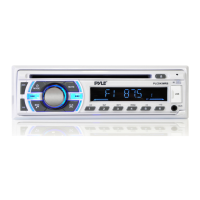
14. MUTE button
15. (eject) button
16. Disc slot
17. IR remote control sensor
18. LCD Display
19. EQ (Equalizer Preset) Button
20. USB port
21. MIC hole (built-in Microphone)
22. AUX IN (auxiliary input) jack
23. (Release) button
24. RESET button
GENERAL OPERATION
Turn Unit ON/OFF
• Press the power /MODE button on the front panel to turn ON the unit, press and
hold it again to turn OFF the unit.
• Press the power button on the remote control to turn the unit ON or OFF.
Adjust Volume (VOL)
Rotate the VOL knob on the front panel or press the VOL+ /VOL- button on the
remote control to increase or decrease the volume level.
Adjust Menu Options (SEL)
• Press the SEL button on the front panel or on the remote control repeatedly to
cycle through the following adjustable audio functions: BASS, TREBLE, BALANCE,
FADER, EQ OFF/ROCK/POP/CLASS/FLAT, LOUD ON/OFF, DX/LOC, STEREO/MONO
and VOLUME.
• Rotate the VOL knob on the front panel or press the VOL+ /VOL- button on
the remote control to adjust the selected item.
- BASS/TREBLE: -7, -6, ~, -1, 0, +1, ~, +6, +7
- BALANCE: L10, L09, ~, L1, R=L, R1, ~, R09, R10
- FADER: R10, R09, ~, R1, R=F, F1, ~, F09, F10
- EQ (Equalizer) Setting: OFF, ROCK, POP, CLASSIC, FLAT
- Loudness: LOUD ON/OFF
- DX/LOCAL: Enables or disables the local broadcast mode (LOCAL).
- Stereo/Mono: Switches between MONO and STEREO reception mode for radio
frequencies.
- Volume level: 0, 1, ~, 40


 To Next Page