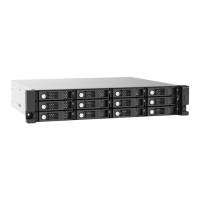
• Depending on the number of installed drives, the JBOD enclosure may consume more
USB endpoints than the host device can support on a single USB connection.
Therefore, the host device may not recognize all drives installed in the JBOD
enclosure.
You can resolve this issue by installing a USB expansion card in the host device.
Compatible USB expansion cards can be purchased from QNAP or an authorized
reseller.
• The NAS must run QTS hero or QTS 4.4.2 (or later version).
Warning
Do not connect the JBOD enclosure to a host device using a USB hub.
1. Power off the NAS.
2. Power off the JBOD enclosure.
3. Connect the JBOD enclosure to the NAS.
a. Connect a USB cable to the USB 3.1 Gen 2 Type-C port on the JBOD enclosure.
Note
• Refer to the hardware installation section of the NAS user guide for instructions on installing
expansion cards.
• For hosts with USB Type-C ports, you can purchase an optional USB Type-C to USB Type-
C cable. For details, see https://store.qnap.com/.
b. Connect the USB cable to a USB Type-A port on a NAS.
c. Optional: Connect a second JBOD enclosure to the NAS.
4. Power on the JBOD enclosure.
5. Power on the NAS.
TL-D800C User Guide
Hardware Installation 15


 To Next Page
 Loading...