3.5.4 eSATA Disk
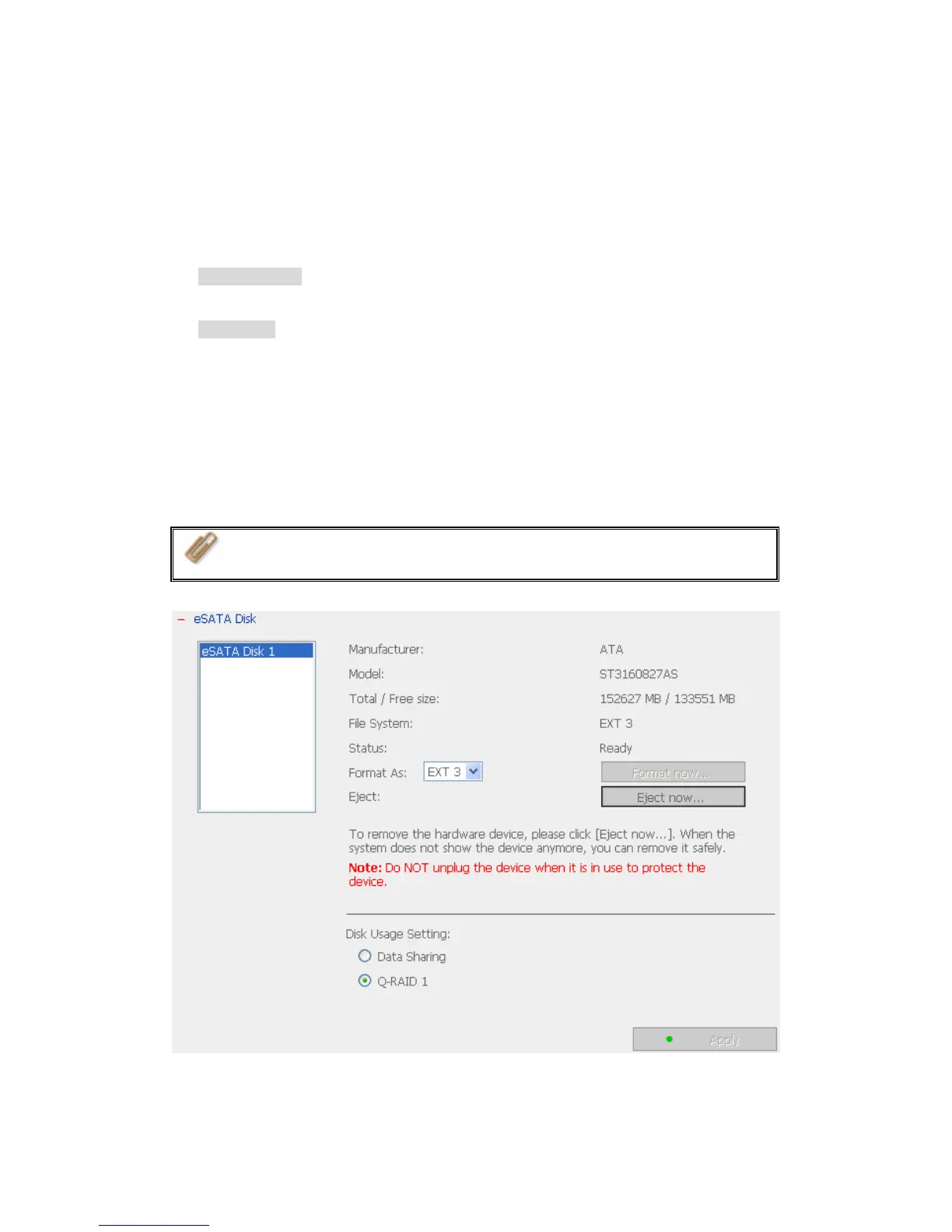
TS-101 supports eSATA disk for extended storage and Q-RAID 1 function. You
can connect an eSATA disk to the eSATA port of TS-101. You can select one of
the following two settings for the disk:
a. Data Sharing: Select this option to use the selected eSATA disk as a network
share of TS-101.
b. Q-RAID 1: Select this option to configure the selected eSATA disk with the
SATA disk in TS-101 as Q-RAID1 configuration.
When backup is executed once, data can be automatically backed up by
connecting the external disk to TS-101 directly. There is no need to configure the
settings in administration interface. Manual operation is required for the first
time backup to enhance secure data protection.
Note: Only one disk can be set as Q-RAID 1 at one time.
- 75 -



 To Next Page
 Loading...