10. Place the NAS in its normal upright position.
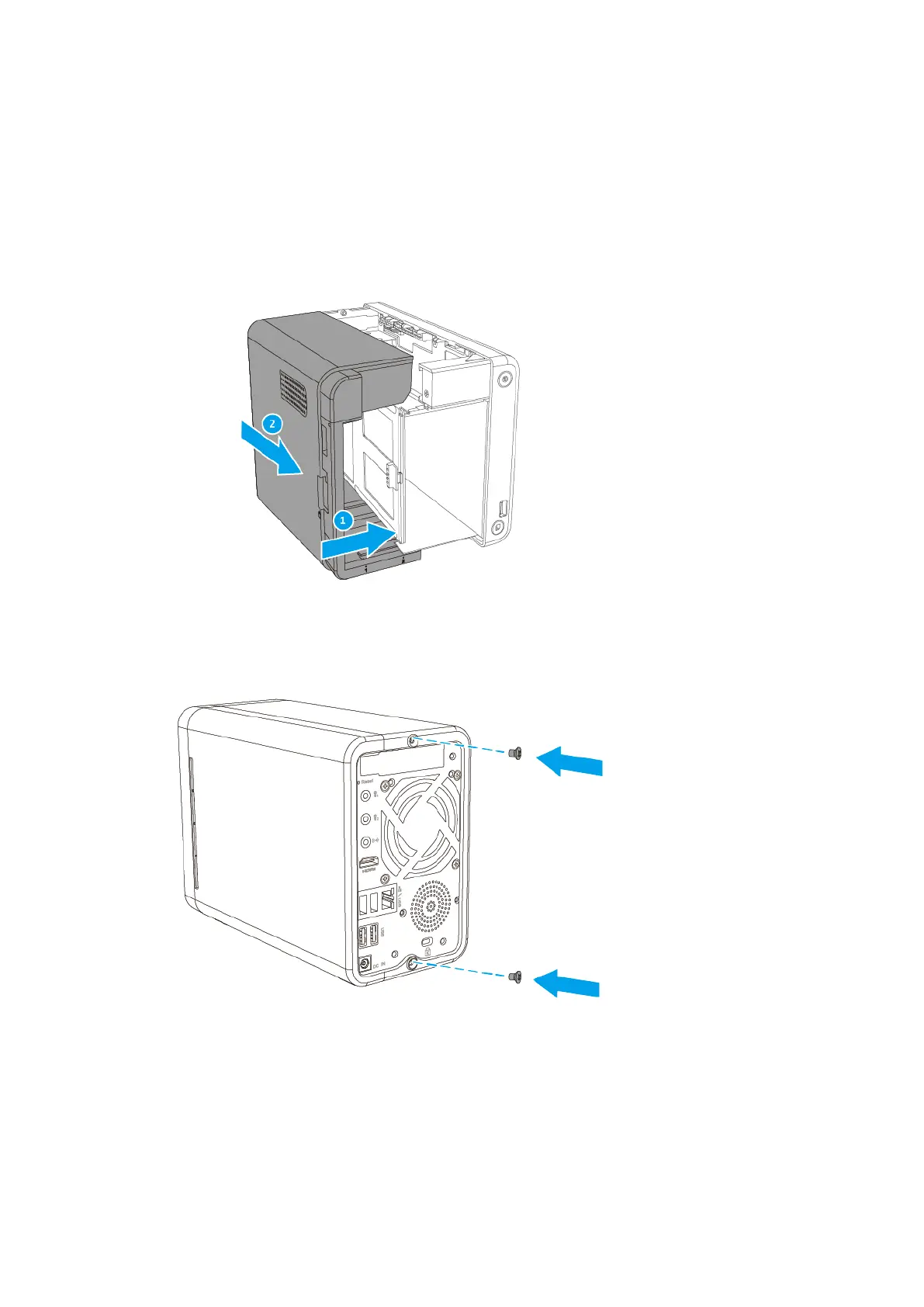
11. Attach the case cover.
a. Push the cover to the right to attach it to the chassis.
b. Slide the cover forward to secure it.
c. Attach the screws to the back of the NAS.
12. Slide each drive tray back into the NAS.
TS-251B User Guide
Installation and Configuration 31



 To Next Page
 Loading...