EasyManua.ls Logo

Quest Engineering X5 - User Manual

Quest Engineering X5
20 pages
Print Icon
To Next Page IconTo Next Page
Loading...

Questions and Answers

  • S
    Sara OneillJul 26, 2025
    Why does my Quest Engineering X5 give excessive chatter or false signals?
    • J
      Jasmine GreeneJul 26, 2025
      If your Quest Engineering Metal Detector is producing excessive chatter or false signals, try these steps: First, reduce the Sensitivity level. Next, check the Ground Balance, as ground conditions may have changed. You might also try searching another part of the site, as there may be a large number of targets present. If electrical interference in the area is the cause, and reducing sensitivity doesn't help, consider returning at a different time.
  • P
    Patrick MontesAug 2, 2025
    What to do if my Quest Engineering X5 Metal Detector turns on but won't detect metal?
    • C
      Cody EdwardsAug 2, 2025
      If your Quest Engineering Metal Detector turns on but won't detect metal, ensure the search coil is properly connected to the control housing. Also, check the Sensitivity level; if it is set too low, the detection depth will be limited.
  • J
    John WardAug 10, 2025
    What to do if target detection appears on the screen but there is no audio on my Quest Engineering Metal Detector?
    • K
      Karina GordonAug 10, 2025
      If the target detection appears on the screen of your Quest Engineering Metal Detector but there is no audio, first ensure the Volume is not set too low. Check to see if headphones are connected to the back of the control housing. Finally, plug in a set of headphones to see if there is a problem with the internal speaker.
  • K
    Krystal BerryAug 17, 2025
    How to fix a Quest Engineering X5 Metal Detector that does not turn on?
    • J
      Jessica GreeneAug 17, 2025
      If your Quest Engineering Metal Detector does not turn on, ensure the battery is fully charged. If the battery is fully charged and it still doesn't turn on, contact your dealer for assistance.

Summary

Assembling the Quest X5

Contents of the Box

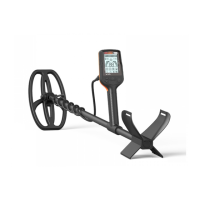
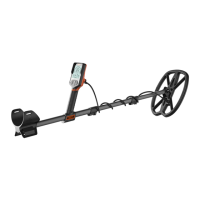
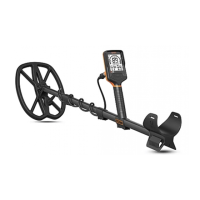
Lists all parts included in the package for the Quest X5 metal detector.

Quest X5 Controls and Display Overview

The Quest X5 s Controls and Display

Details the functions of each button and the meaning of various icons on the Quest X5 display.

Target Identification with the Quest X5

Explains how the detector interprets signals to identify different types of metal targets.

Quest X5 Operation and Programming

Charging the Quest X5 s Battery

Instructions for charging the internal Li-Po rechargeable battery for optimal detector performance.

Quick Start Operation

Initial steps to familiarize yourself with the detector's controls and responses before field use.

Sensitivity Adjustment

Guide to adjusting sensitivity levels for optimal detection and minimizing false signals.

Discrimination; Notch Discrimination

Learn to filter unwanted targets by accepting or rejecting specific target ID ranges.

Ground Balancing

Calibrates the detector to ignore ground mineralization for improved depth and accuracy.

Pinpointing Targets with the Quest X5

Pinpointing with the “Criss-Cross” Method

Locates targets by sweeping the coil in an 'X' pattern to find the shallowest depth.

Pinpointing with the “Detuning

Isolates a target signal by adjusting coil response until a small, defined audio signal is produced.

Product Care and Troubleshooting

Product Care Tips

General advice on maintaining the metal detector to ensure longevity and prevent damage.

Troubleshooting Common Issues

Solutions for common symptoms like detector not turning on or false signals.

Quest Engineering X5 Specifications

General IconGeneral
BrandQuest Engineering
ModelX5
CategoryMetal Detector
LanguageEnglish

Related product manuals