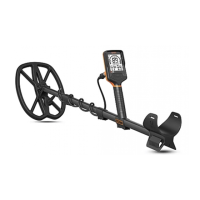
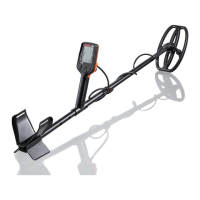
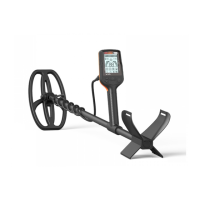
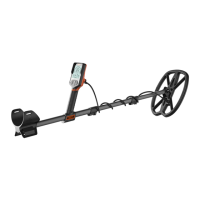
The Quest Q30 Series metal detector is a high-quality, yet affordable, piece of equipment designed for treasure hunting. It offers exceptional performance across a wide range of field conditions, incorporating features typically found on more expensive and heavier detectors. The Q30 series includes two models: the Q30 and the Q30+, with the primary difference being that the Q30+ has built-in wireless capabilities and comes with Quest's WireFree Lite headphones. This operating guide aims to help users assemble the device, understand its controls, and effectively use it to find lost valuables.
Function Description
The Q30 series is designed to locate buried metal objects. It provides information on a target's probable identification to help users determine whether to recover it. When a target is detected, the detector's circuitry analyzes the signal and assigns a specific number (Target ID) ranging from 1 to 99 based on the target's conductivity. Iron objects typically register at the lower end of this scale, while high-conductive targets like silver or copper fall at the upper end. The LCD screen features 25 segments, each representing four Target ID numbers. These segments can be accepted (clear) or rejected (black) to customize which targets produce an audio response or are ignored.
The detector offers six distinct search modes: Park, Field, Wet Sand, Saltwater, Gold 1, and Gold 2. These modes are pre-configured with settings optimized for different hunting sites and target types, minimizing the need for extensive in-field adjustments.
- Park Mode: Ideal for sites with a high concentration of targets, both good and trash. It features a faster recovery speed to help separate closely spaced targets.
- Field Mode: Suitable for areas where targets are more spread out and unwanted targets are typically ferrous. It offers slightly deeper detection and improved Target ID stability compared to Park mode.
- Wet Sand and Saltwater Modes: Designed for saltwater beaches, especially with black sand or when the coil is submerged. Wet Sand mode can also be used on mineralized freshwater beaches. These modes provide two distinct tones (low and high) in addition to the Target ID for target identification.
- Gold 1 and Gold 2 Modes: These modes operate differently, with a constant background audio signal (threshold). They are highly sensitive to small pieces of gold or metallic minerals. When passing over small or deep targets, users will hear a slight increase in the threshold sound. These modes do not offer notch discrimination.
The Q30 series includes a Pinpoint function, a non-motion circuit that helps users zero-in on detected targets for faster recovery. When activated, the LCD screen displays the detected target's depth in inches.
Usage Features
The Q30 series boasts a user-friendly control panel with touchpads designed for quick adjustments without navigating complex menus.
- Audio/Vibrate Mode: Touchpads on the upper left side adjust audio volume for the internal speaker/headphones and select the vibration level in the handgrip. Vibration mode is particularly useful for underwater hunting without waterproof headphones or for hearing-impaired users.
- Backlighting: A touchpad on the right side (bottom one on Q30+) activates two levels of backlighting for the LCD screen, aiding in low-light conditions, and can be turned off to save battery.
- Wireless Audio (Q30+ only): The upper touchpad on the right side of the housing activates wireless audio, allowing the Q30+ to connect to WireFree Lite headphones.
- Up/Down Touchpad: Used to adjust the detector's Sensitivity in the main search screen or specific functions in the Menu Options mode. Sensitivity can be adjusted from 01 to 99, with 80-95 being the optimal range for general use. Setting it too high can lead to erratic operation due to ground mineralization or electrical interference.
- Power & Menu Selection Touchpad: A dual-function touchpad. Press and hold to turn the detector ON/OFF. Press and release to cycle through various adjustments shown as icons and messages at the bottom of the screen.
- Notch Discrimination Accept/Reject Touchpad: Allows users to accept or reject individual segments on the Target ID Notch Arc when the EXCLUDE ID option is selected.
- Ground Balance/Search Mode Select Touchpad: A dual-function touchpad used to precisely set the Ground Balance and select the desired Search Mode.
Ground Balance is crucial for ignoring the effects of ground mineralization, which can reduce detection depth and accuracy. To set it, press and hold the Ground Balance touchpad while pumping the coil towards and away from the ground until a short beep is heard and the setting stabilizes. The Q30 and Q30+ also feature Ground Tracking, which automatically monitors and adjusts for changes in mineralization. This function can be activated/deactivated by pressing and holding the Ground Balance touchpad and tapping the Menu touchpad. However, Ground Tracking is not recommended for sites with many targets, as it may track metallic objects instead of mineralization, leading to erratic operation.
Discrimination and Notch settings allow users to eliminate unwanted targets. The Q30 series comes with factory preset discrimination settings for each search mode, which can be customized. Changes are retained even after the unit is turned off.
Tones can be selected in Park, Field, Wet Sand, and Saltwater modes (2-Tone, 3-Tone, 4-Tone, and Pitch). These help identify targets by producing different audio responses. Tone Break allows users to change the point at which each tone starts.
FESEN (Ferrous Sensitivity) allows adjustment of the volume of iron targets (Target IDs 1-4). Reducing FESEN makes iron signals weaker, allowing users to ignore them based on volume. Setting FESEN to "0" will silence iron signals in this range.
Frequency Shift helps avoid interference from other detectors, power lines, or electrical transformers. This is adjusted by pressing and holding the Ground Balance touchpad and pressing the volume adjusting touchpad.
Reset Detector allows users to restore the detector to factory settings by pressing and holding the POWER touchpad for 5 seconds until the screen cycles and restarts.
Testing and Search Techniques:
Before field use, it's recommended to create a "test garden" by burying various targets (good and trash) at different depths. This helps users learn the detector's response to different items and hone pinpointing and target identification skills.
Proper search technique involves scrubbing the ground with the search coil to maximize detection depth. Sweep speed should be around 2-3 seconds from side to side. While Double-D coils don't require as much overlap as concentric coils, some overlap is recommended to ensure all targets are covered. The Q30 series requires the search coil to be in motion for target detection. If pinpointing without the dedicated pinpoint circuit, wiggle the coil side-to-side slightly to maintain the signal.
For prospecting, Gold 1 or Gold 2 modes are preferred due to their sensitivity to small targets. Headphones are highly recommended to hear subtle threshold changes. Adjust the audio threshold to be barely audible but still allow for detection of slight changes.
For shallow water hunting/diving, the Q30 series is fully submersible up to 16 feet (5 meters). The Q30+ wireless headphones are NOT waterproof; optional waterproof headphones are recommended. The vibration mode is ideal for diving, allowing target detection through handgrip vibration.
The QuestGo Application (available for iPhones and Android) allows users to track searches via GPS, log finds, and update the detector's firmware. A "Q" symbol appears on the LCD screen when connected.
Maintenance Features
To ensure years of trouble-free operation, Quest provides several maintenance guidelines:
- Coil Cable: Do not wrap the coil cable too tightly around the shaft to prevent damage to the wire or connection.
- Storage: Avoid storing the detector in extreme temperatures (e.g., in a car during summer or winter) to prevent damage to electronics.
- Touchpads: Use fingers, not hard or sharp objects, to operate touchpads to avoid damage or leaks when submerged.
- Cleaning Agents: Avoid chemical cleaners, solvents, and insect repellents that can damage plastic components.
- USB Port: Keep the weather cap tightly secured to prevent moisture/sand from entering the USB port.
- Moisture: Ensure the detector is dry before charging to prevent corrosion of electrical contacts.
- Battery: Recharge the internal battery every few months if storing the detector for an extended period.
- Post-Water Use: After use in water, rinse the detector and waterproof headphones (if attached) with fresh water to remove sand or salt buildup.
- Wireless Headphones: The Q30+ wireless headphones are NOT waterproof and should not be submerged.
- Coil Cover: Periodically remove the coil cover on the bottom of the coil to remove accumulated dirt, sand, or salt, which can cause erratic operation.
Cleaning Procedure:
When cleaning the detector at home:
- Turn off the detector.
- Disassemble the shafts and flush dirt/sand from inside them and the camlocks.
- Rinse with fresh water (excluding wireless headphones).
- Wipe the device with a damp cloth using a mild detergent solution.
- Gently wipe the screen with the cloth.
- Wipe dry with a soft, clean, lint-free cloth.
- Allow the device to dry completely before reassembling.


 To Next Page
 General