
 Need help?
Do you have a question about the Quick MILL 1006 ESSENCE and is the answer not in the manual?
Explains warning triangles and other symbols for key functions and information.
Manufacturer assumes no responsibility for damages from improper use or unauthorized repairs.
Packaging material must be kept away from children due to danger.
Power cable must lie flat, not exposed to impacts, liquids, or heat.
Covers electrical supply checks, machine placement, and environmental conditions.
Defines the intended household and similar applications for the coffee machine.
Specifies operations that are not permitted and are considered hazardous.
Details on using soft, clean drinking water and the effects of high mineral content.
Notes that the machine has vibration damping feet and does not generate harmful vibrations.
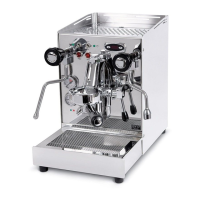
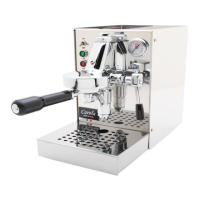
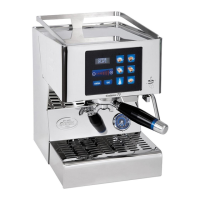
Describes the machine's design, capabilities (coffee, water, steam), and connectivity features.
Instructions for keeping the package in the correct position during transport.
Steps for safely opening the package and checking for damage.
Mandatory appliance connection to ground; manufacturer not liable for non-compliance.
Ensuring correct power line characteristics and careful handling of the power supply cable.
Advice on positioning the machine away from walls and at a specific height from the floor.
Caution regarding hot parts like coffee dispenser, steam lance, and hot water dispenser.
Steps to prepare the machine for its first use, including water supply and initial filling.
Detailed steps for connecting the machine to a water can for operation.
Explains the 'no water' symbol and the procedure for alarm conditions related to water level.
Describes the alarm generated when water is missing during coffee distribution.
Instructions for connecting the machine to a mains water supply.
Step-by-step guide for operating the coffee brewing function.
Instructions for safely using the steam wand for heating liquids.
Procedure for dispensing hot water from the machine.
Guide on how to adjust the pump pressure valve for optimal performance.
Details the main screen layout showing boiler temperatures, coffee temperature, and status.
Indicates that the main display alternates with the time display.
Shows the display when the machine is in ECO condition.
Shows the display when the machine is in standby condition.
Steps to reset the machine to factory values via the display.
Information on connecting a single device to the machine's Wi-Fi.
Advice on what to do if the Wi-Fi connection fails.
First step to search for the Quickmill network on a smartphone's Wi-Fi list.
Instructions for entering the Wi-Fi password and connecting via IP address or QR code.
Displays boiler temperatures, machine status (ON/OFF), and water level.
Allows activation/deactivation of service boiler and ECO operating modes.
Explains automatic, ECO, and manual modes for machine operation and temperature control.
Field where present alarms on the machine are displayed.
Option to change the machine's display language by pressing on the flag icon.
How to access the maintenance menu via 'Technical settings'.
Button to activate/deactivate the heating of the service boiler.
Shows various counters for dosing and maintenance.
Initiates cleaning cycles and calibrates the water reservoir sensor.
Configures measurement units, sensor sensitivity, boiler setpoints, and filling mode.
Set the date and time of the machine.
Set temperatures for service and coffee boilers within a time frame.
Schedule automatic on/off times for the machine on a weekly basis.
Explains the importance of coffee grinding for extraction and finding the right grain size.
Covers purging, filter holder cleaning, grinding, and pressing for optimal espresso.
Cleaning the filter holder edges to remove excess dust that can burn or damage seals.
Cleaning the spouts before each new extraction to ensure quality.
Details the extraction time frame for espresso based on established parameters.
Step-by-step guide to heating and frothing milk using the steam wand.
Tips for handling the milk jug to achieve proper foam texture.
Technique for pouring milk into a cup to create latte art.
Lists various coffee drinks with their preparation details and volumes.
 General
| Pump Pressure | 16 bar |
|---|---|
| Material | Stainless steel |
| Voltage | 230 V |
| Type | Espresso Machine |
| Water Tank Capacity | 1.8 L |
| Frequency | 50 Hz |




 To Next Page