31
©2006 Sunrise Medical
POWER BASE SECTION
Final Step is to Plug in Programmer
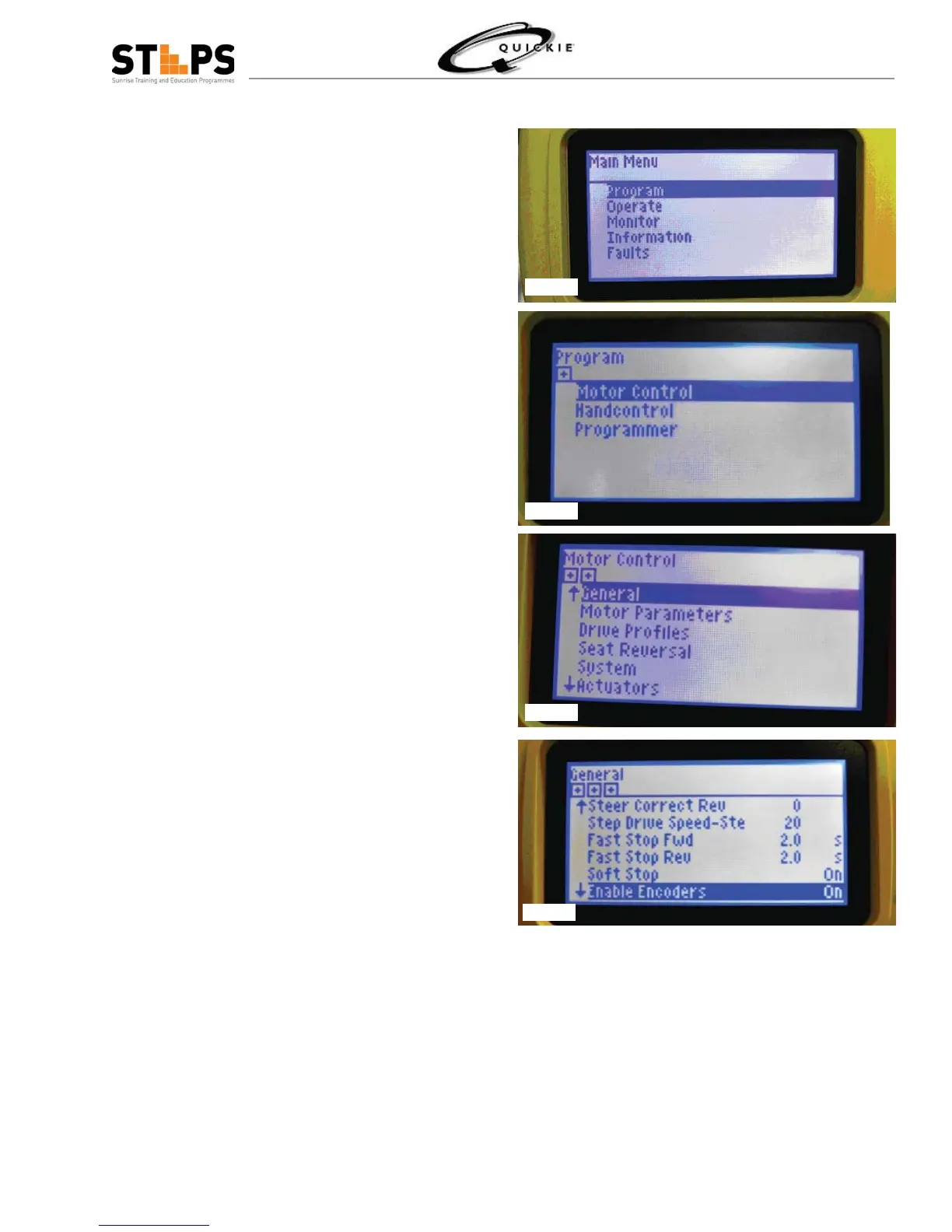
Go to Program (Fig 1.50)
Go to Motor control (Fig 1.51)
Go into General Parameters (Fig 1.52)
Go into General – which is Encoder Selection – Using
On for operation
Set Encoder to: On (enable) (Fig 1.53)– resolution is
preset and does not need to be changed
You are now set to Drive with Encoders – INTELLI-
DRIVE
Fig 1.50
Fig 1.51
Fig 1.52
Fig 1.53



 To Next Page