Modifying a service plan
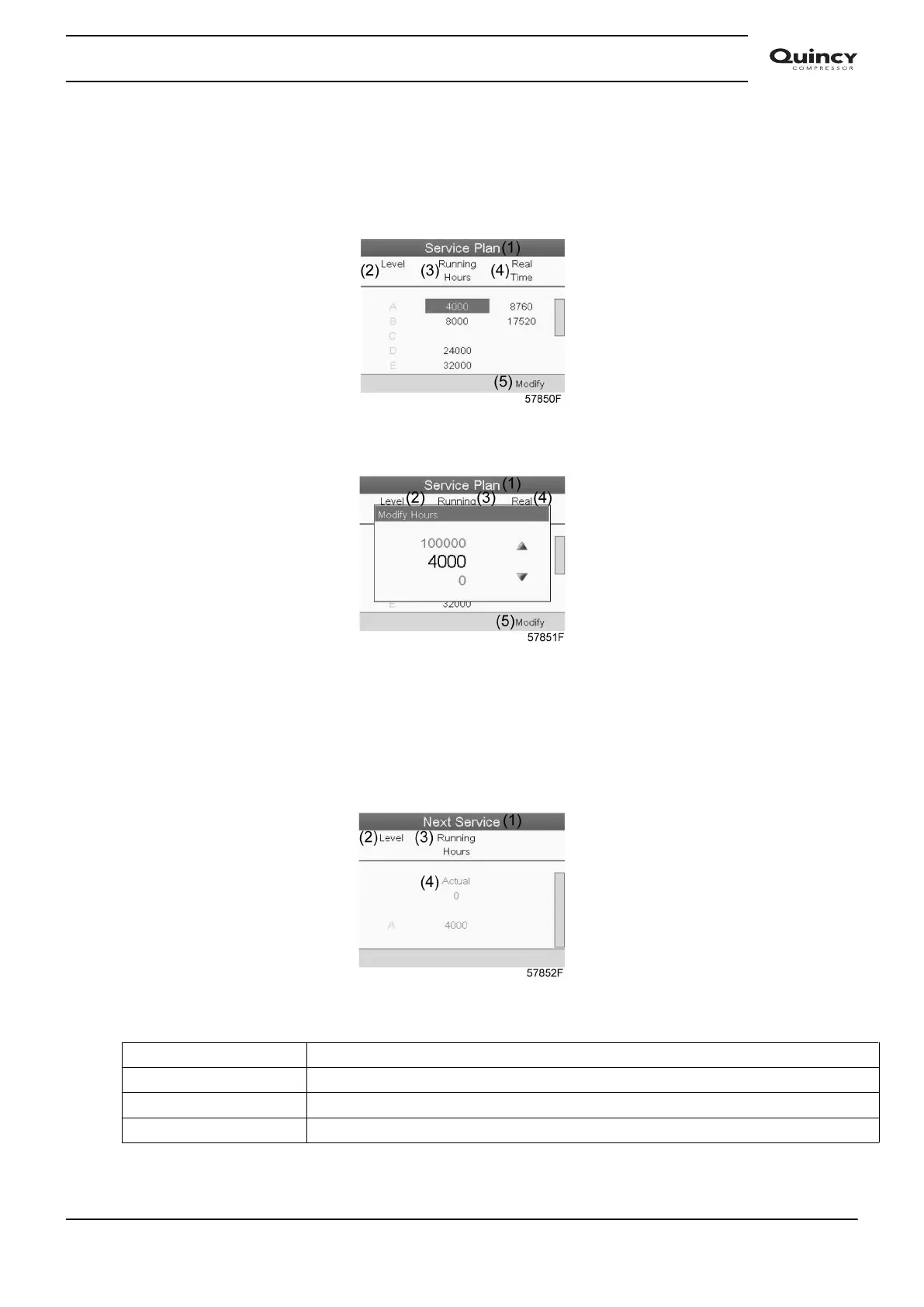
Dependant on the operating conditions, it can be necessary to modify the service intervals. To do
so, use the Scroll keys to select the value to be modified. A screen similar to the one below
appears:
Press the Enter key. Following screen appears:
Modify the value as required using the ↑ or ↓ scroll key and press the Enter key to confirm.
Note: Running hours can be modified in steps of 100 hours, real time hours can be modified in
steps of 1 hour.
Next Service
Text on image
(1) Next service
(2) Level
(3) Running hours
(4) Actual
Instruction book
2920 7190 02 45






 To Next Page