In the example above, the A Service level is programmed at 4000 running hours, of which 0
hours have passed.
History
The History screen shows a list of all service actions done in the past, sorted by date. The date at
the top is the most recent service action. To see the details of a completed service action (e.g.
Service level, Running hours or Real time hours), use the Scroll keys to select the desired action
and press the Enter key.
3.11 Regulation menu
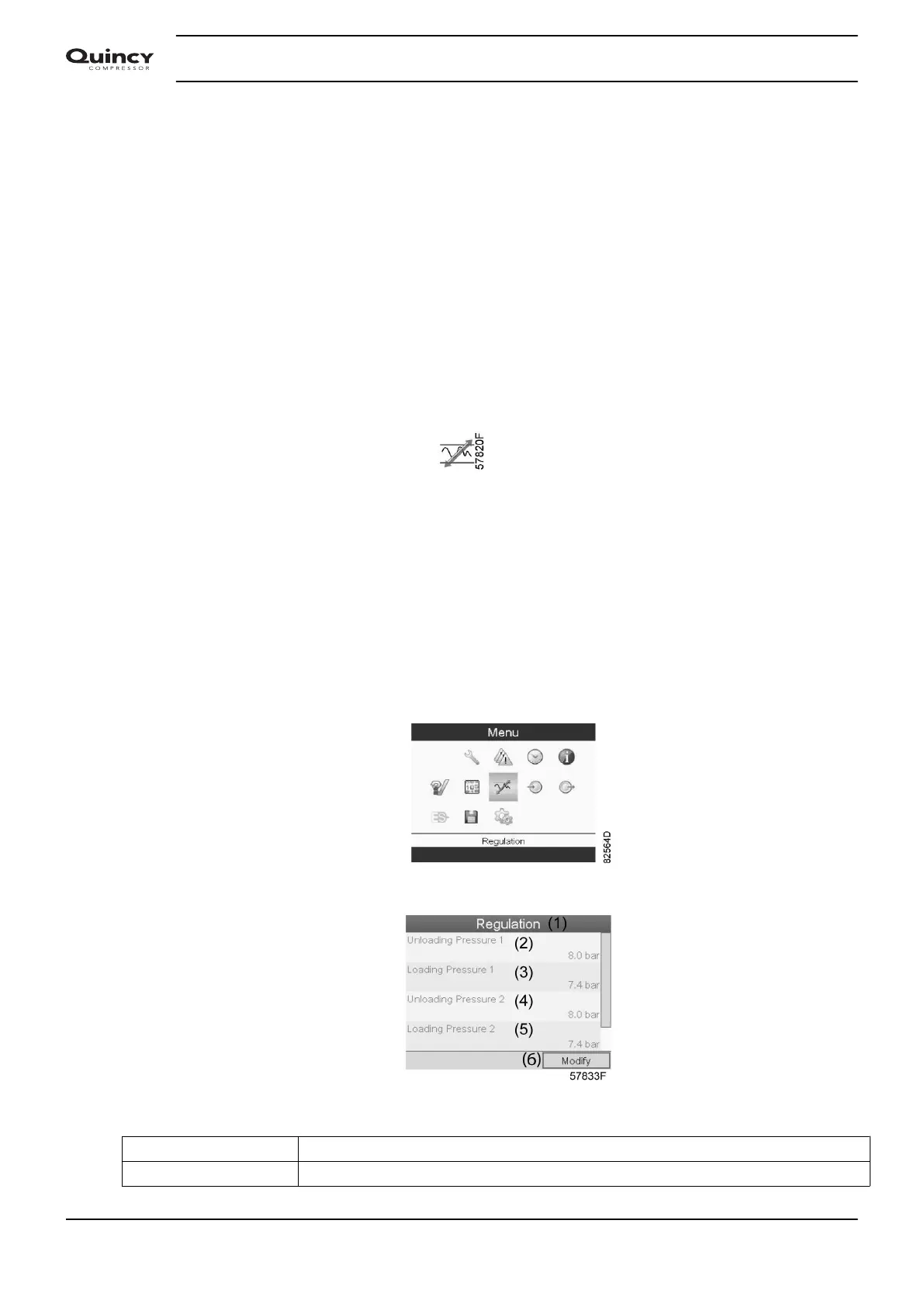
Menu icon, Setpoint
Function
On fixed speed compressors , the operator can program two different pressure bands. This
menu is also used to select the active pressure band.
Procedure
Starting from the Main screen (see Main screen ),
• Move the cursor to the action button Menu and press the Enter key.
• Using the Scroll keys, move the cursor to the Setpoint icon (see below).
• Press the Enter key. Following screen appears:
Text on figure
(1) Regulation
(2) Unloading pressure 1
Instruction book
46 2920 7190 02






 To Next Page