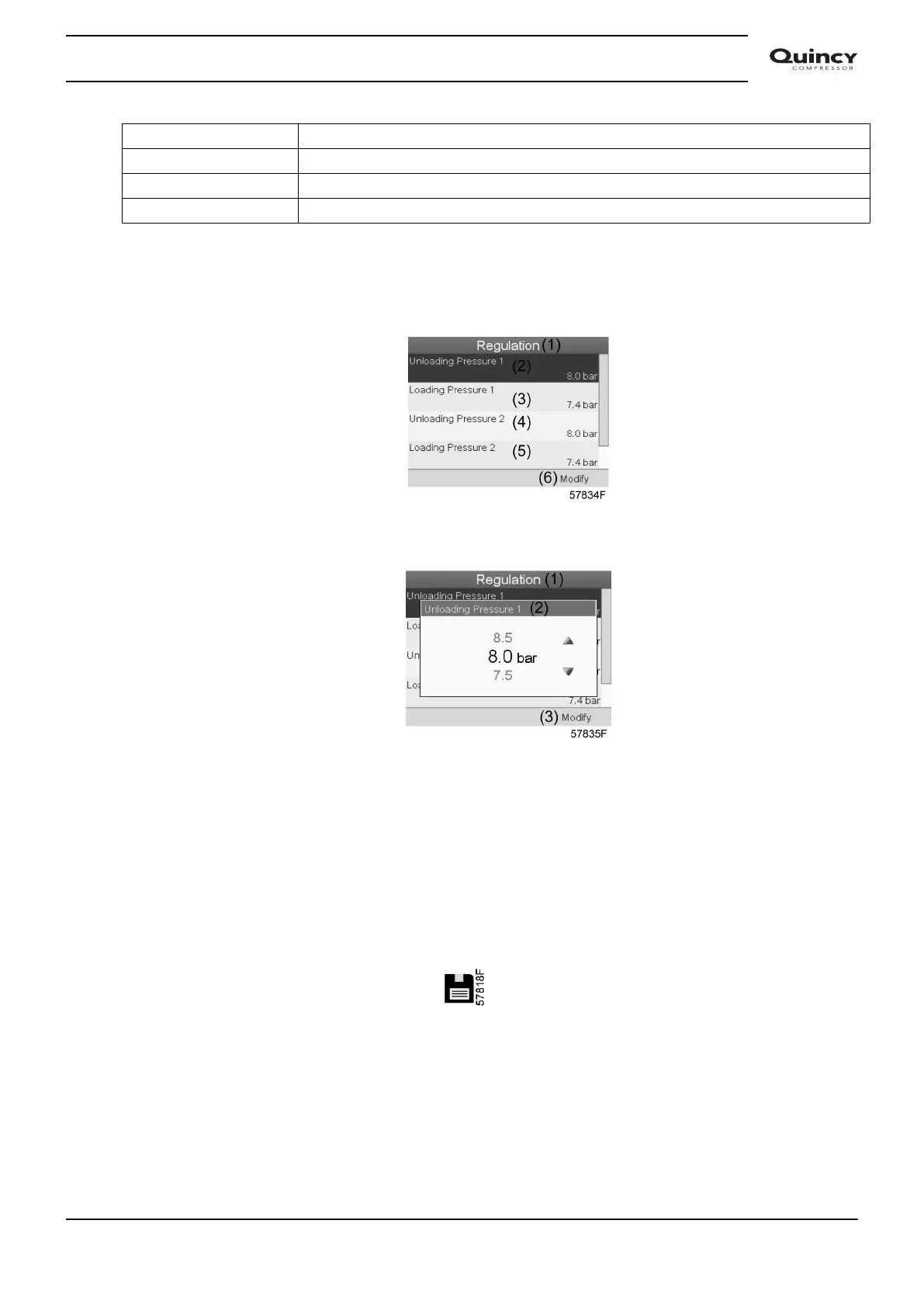
(3) Loading pressure 1
(4) Unloading pressure 2
(5) Loading pressure 2
(6) Modify
• The screen shows the actual unloading and loading pressure settings for both pressure
bands.
To modify the settings, move the cursor to the action button Modify and press the Enter key.
Following screen appears:
• The first line of the screen is highlighted. Use the Scroll keys to highlight the setting to be
modified and press the Enter key. Following screen appears:
• The upper and lower limit of the setting is shown in grey, the actual setting is shown in black.
Use the ↑ or ↓ key of the Scroll keys to modify the settings as required and press the Enter
key to accept.
If necessary, change the other settings as required in the same way as described above.
3.12 Event history menu
Menu icon, Event History
Function
To call up the last shut-down and last emergency stop data.
Procedure
Starting from the Main screen,
Instruction book
2920 7190 02 47






 To Next Page