(1): Set as main chart signal
3.7 Outputs menu
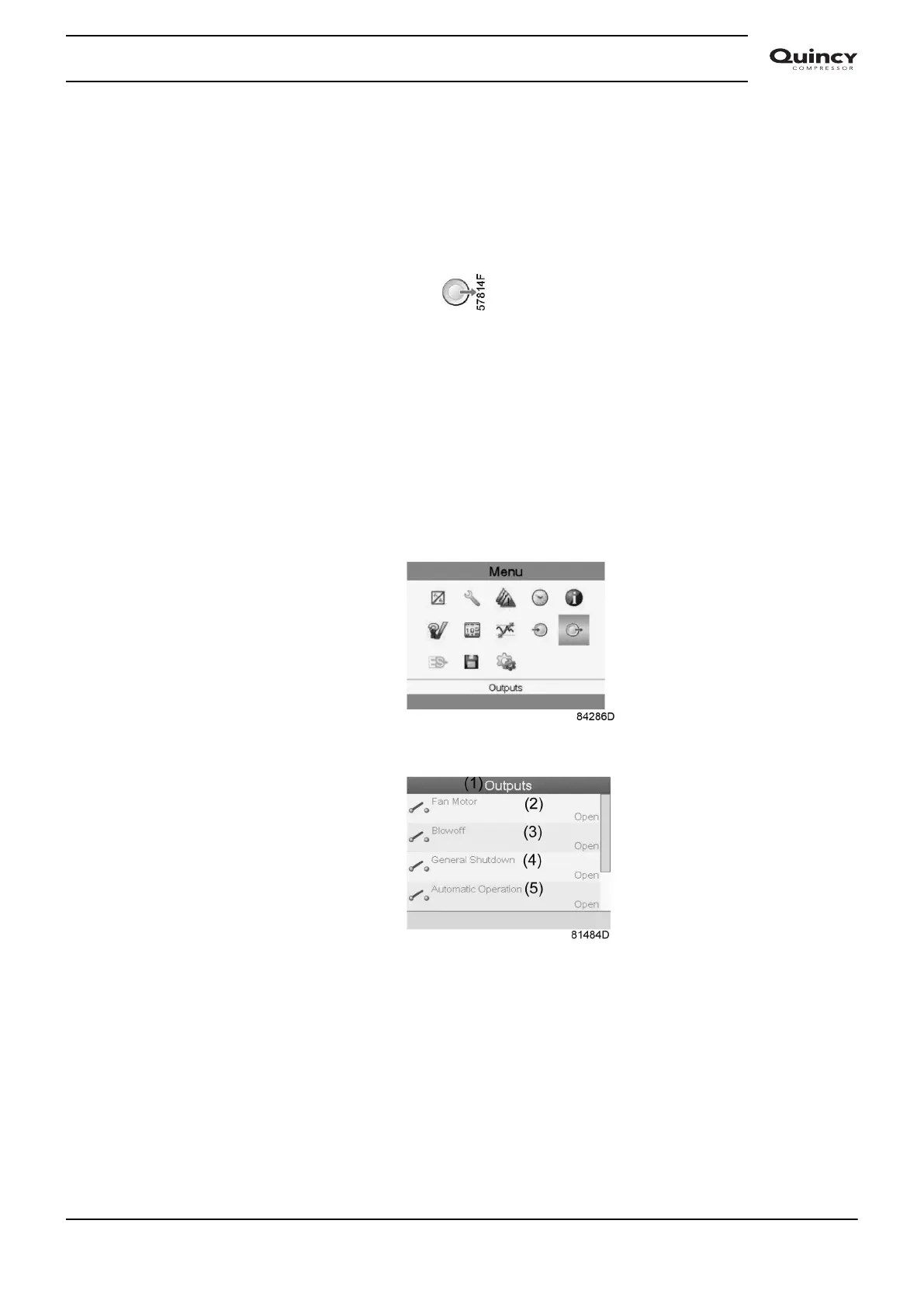
Menu icon, Outputs
Function
To call up information regarding the actual status of some outputs such as the condition of the
Fan overload contact (on air cooled compressors), the Emergency stop contact, etc.
Procedure
Starting from the Main screen,
• Move the cursor to the action button Menu and press the Enter key.
• Move the cursor to the Outputs icon (see below).
• Press the Enter key. A screen similar to the one below appears:
Outputs screen (typical)
Instruction book
2920 7190 02 39






 To Next Page