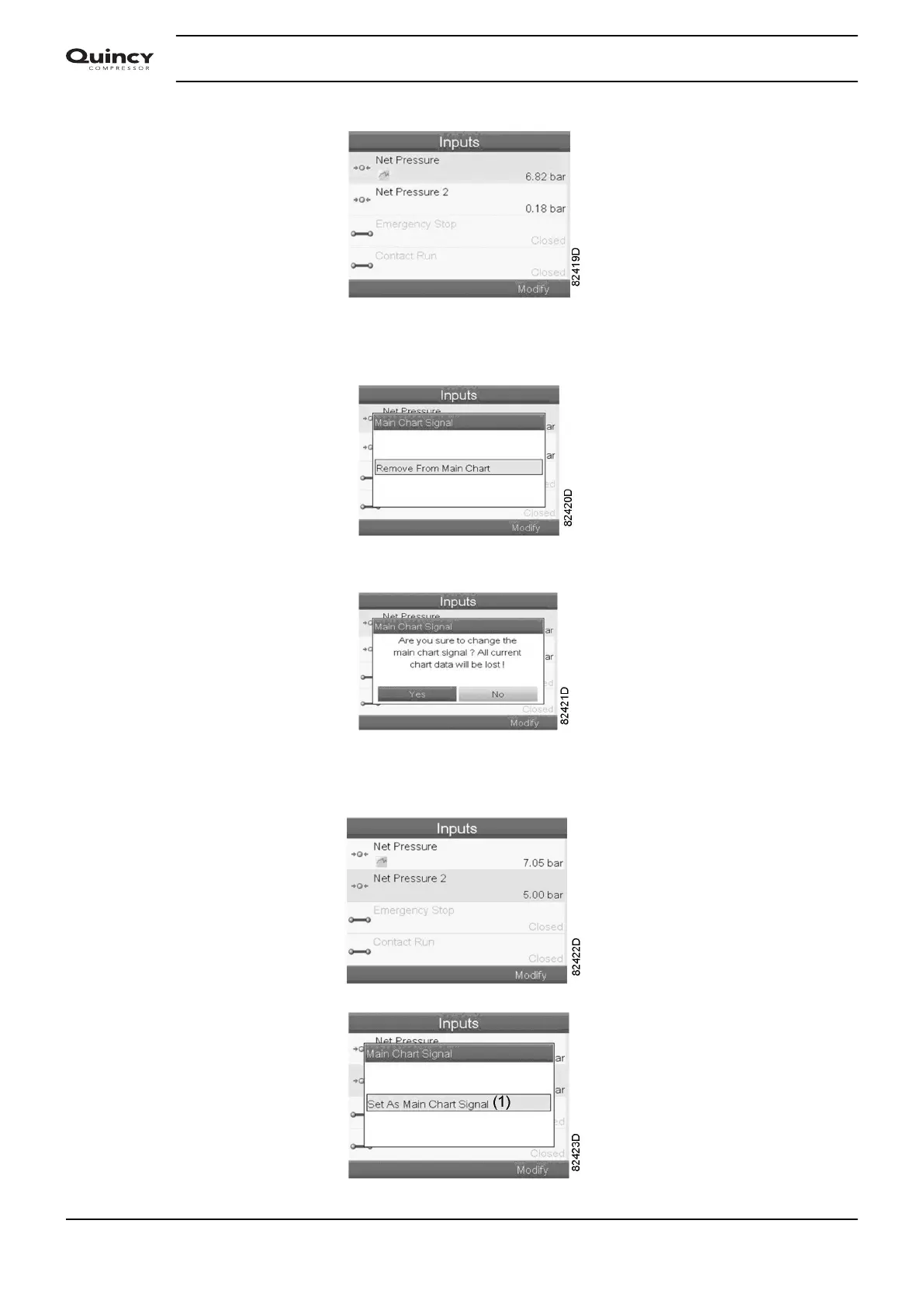
The first item in the list is highlighted. In this example, the Net Pressure is selected (chart icon).
To change, press the Enter button again: a pop-up window opens:
Press Enter again to remove this input from the chart. Another confirmation pop-up opens:
Select Yes to remove or No to quit the current action.
In a similar way, another input signal can be highlighted and selected as Main Chart signal:
Instruction book
38 2920 7190 02






 To Next Page