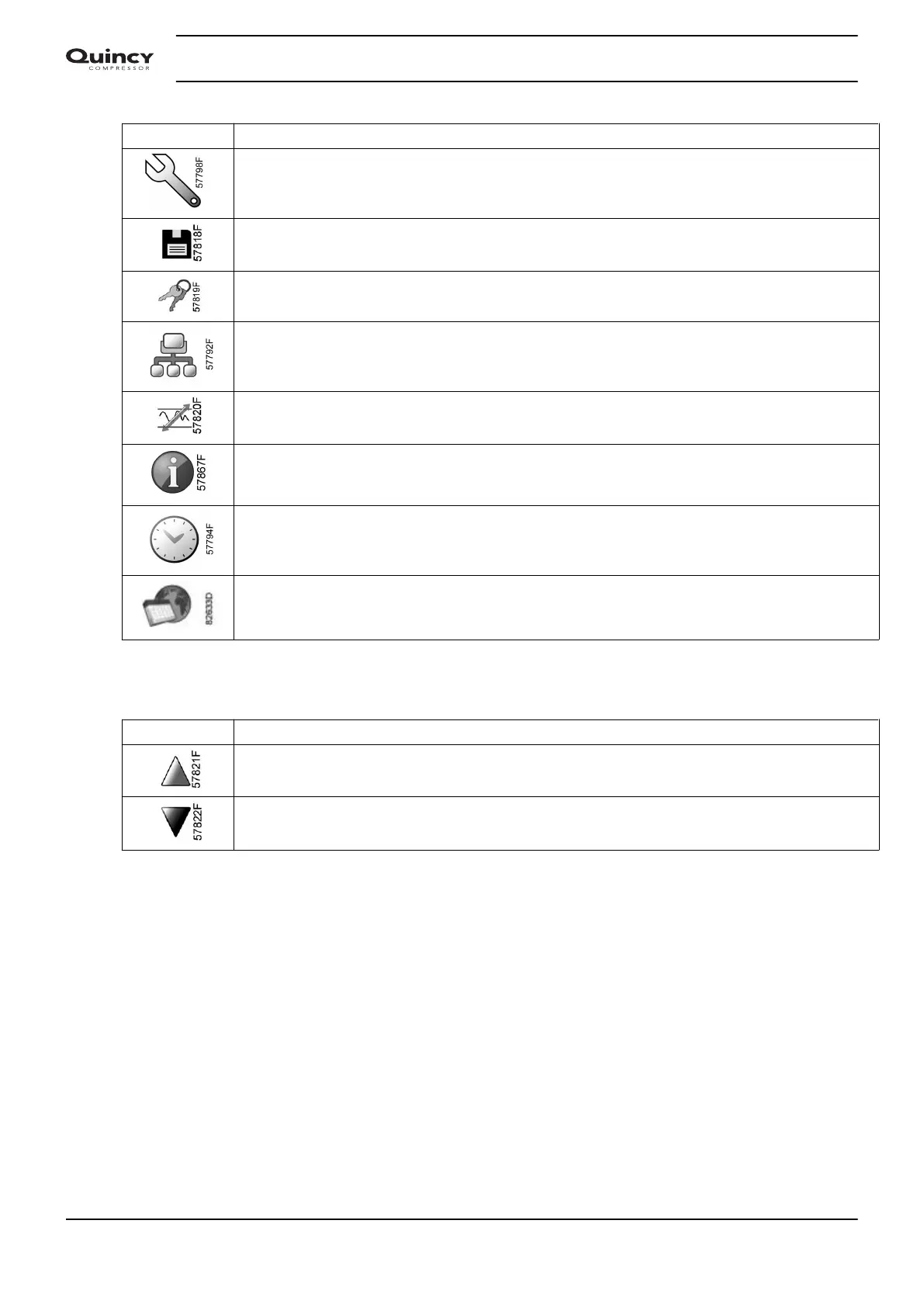
Icon Description
Service
Event history (saved data)
Access key / User password
Network
Setpoint
Information
Week Timer
General
Navigation arrows
Icon Description
Up
Down
3.4 Main screen
Function
The Main screen is the screen that is shown automatically when the voltage is switched on and
one of the keys is pushed. It is switched off automatically after a few minutes when no keys are
pushed.
Typically, 5 different main screen views can be chosen:
1. Two value lines
2. Four value lines
3. Chart (High resolution)
4. Chart (Medium resolution)
5. Chart (Low resolution)
Instruction book
32 2920 7190 02






 To Next Page