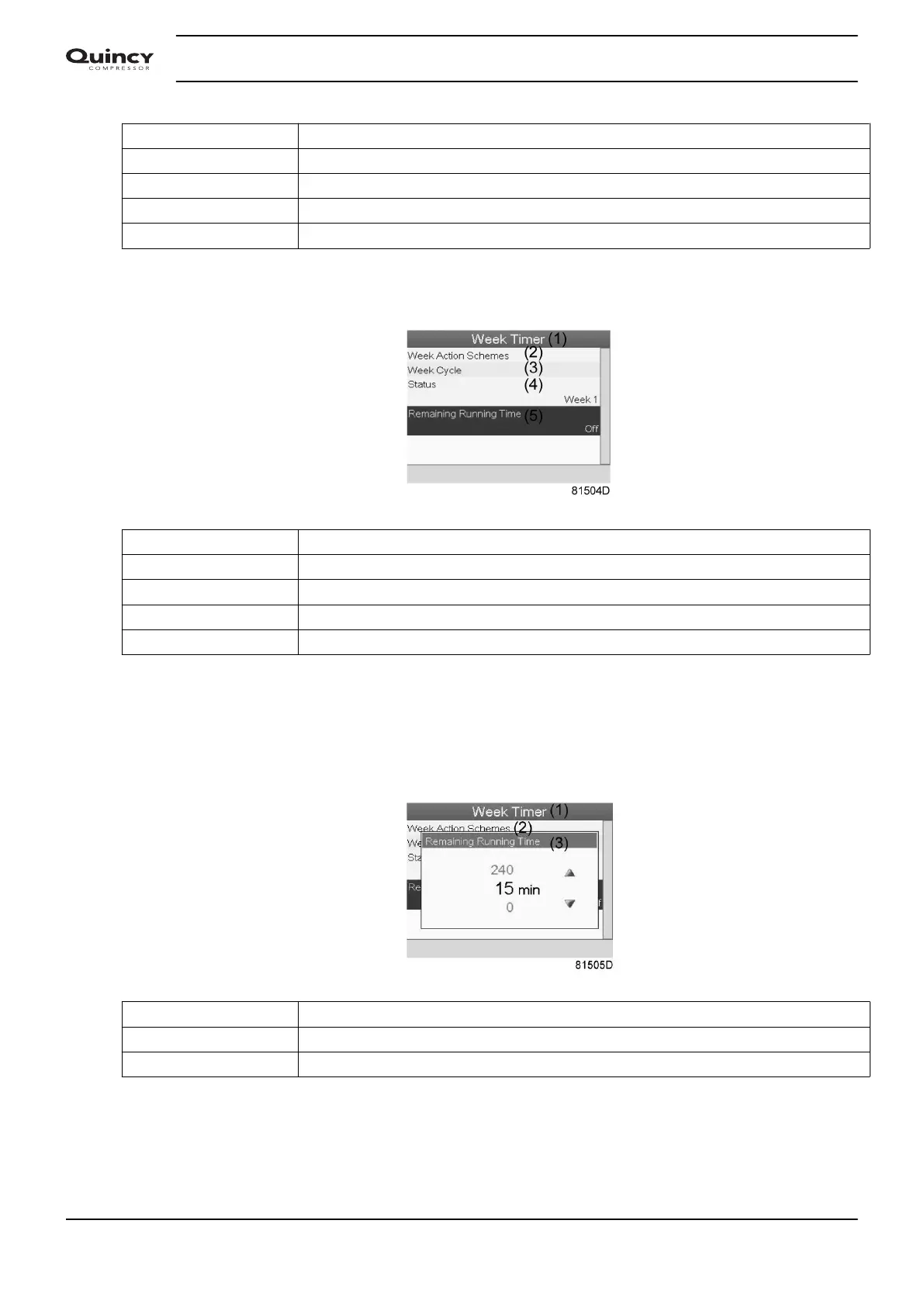
(1) Week Timer
(2) Week Action Schemes
(3) Week Cycle
(4) Status
(5) Remaining Running Time
• Press the Escape key on the controller to go to the main Week Timer menu. Select
Remaining Running Time from the list and press the Enter key on the controller to Modify.
(1) Week Timer
(2) Week Action Schemes
(3) Week Cycle
(4) Status
(5) Remaining Running Time
• This timer is used when the week timer is set and for certain reasons the compressor must
continue working, for example, 1 hour, it can be set in this screen. This timer is prior to the
Week Timer action.
(1) Week Timer
(2) Week action schemes
(3) Remaining Running Time
Instruction book
58 2920 7190 02






 To Next Page