GRB-200 Demodulator (GOES-R) OI&M
GRB-200 Demodulator (GOES-R) OI&M
© Copyright 2015, Quorum Communications, Inc.
Using Setup to Configure the Demodulator 3.2.2
Enter Setup Mode by pressing and holding the top switch as described above
under Controls and Indicators.
Demodulator Mode
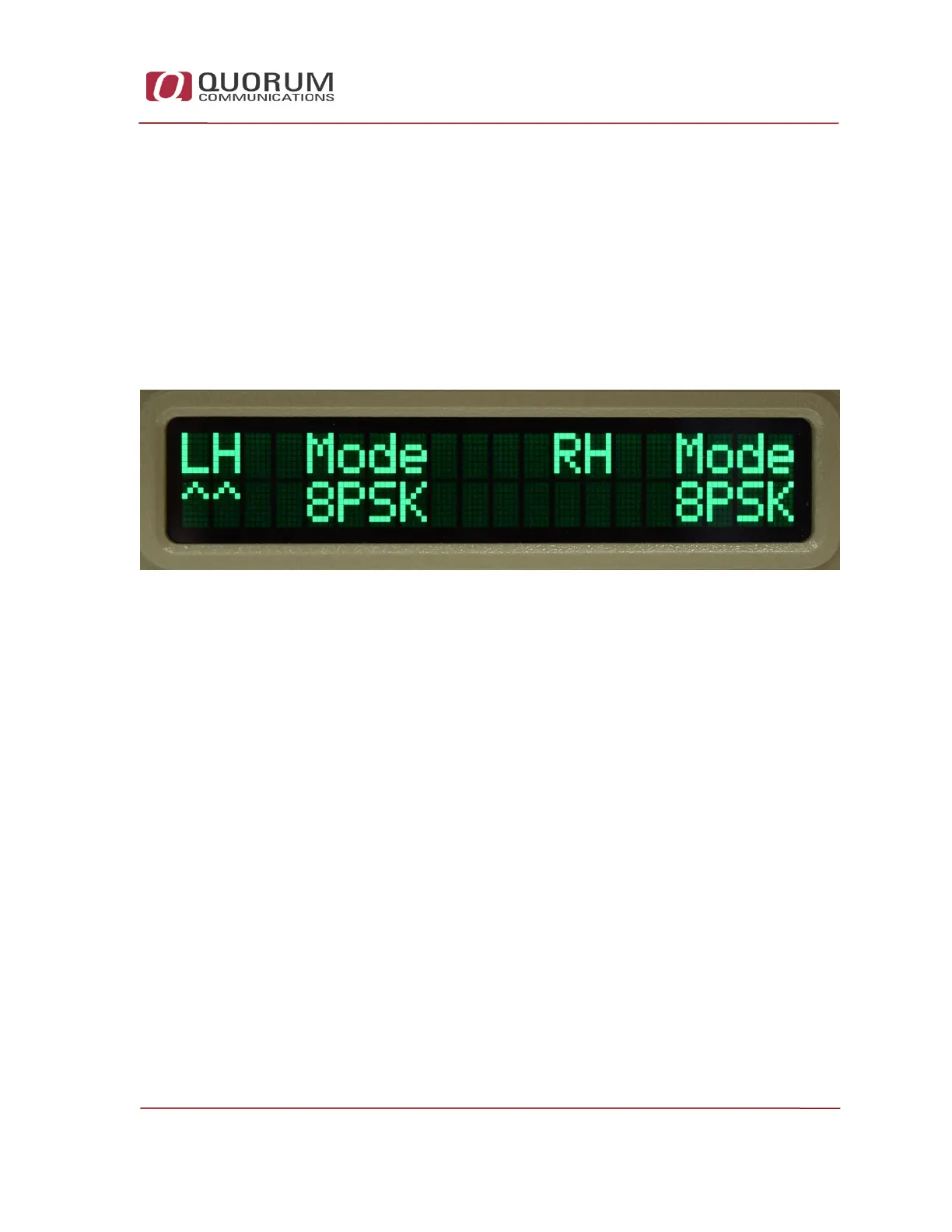
The message “Demodulator Mode” will briefly be displayed followed by the
display below.
Figure 17 – Demodulator Mode Screenshot
This displays the current demodulator mode for both the LHCP and RHCP
inputs. Initially the carets point to the LHCP configuration.
Press the bottom switch to choose 8PSK (default) or QPSK for the LHCP
demodulator mode.
Press the top switch to cycle to the RHCP setting.
Press the bottom switch to choose 8PSK (default) or QPSK for the RHCP
demodulator mode.


 To Next Page