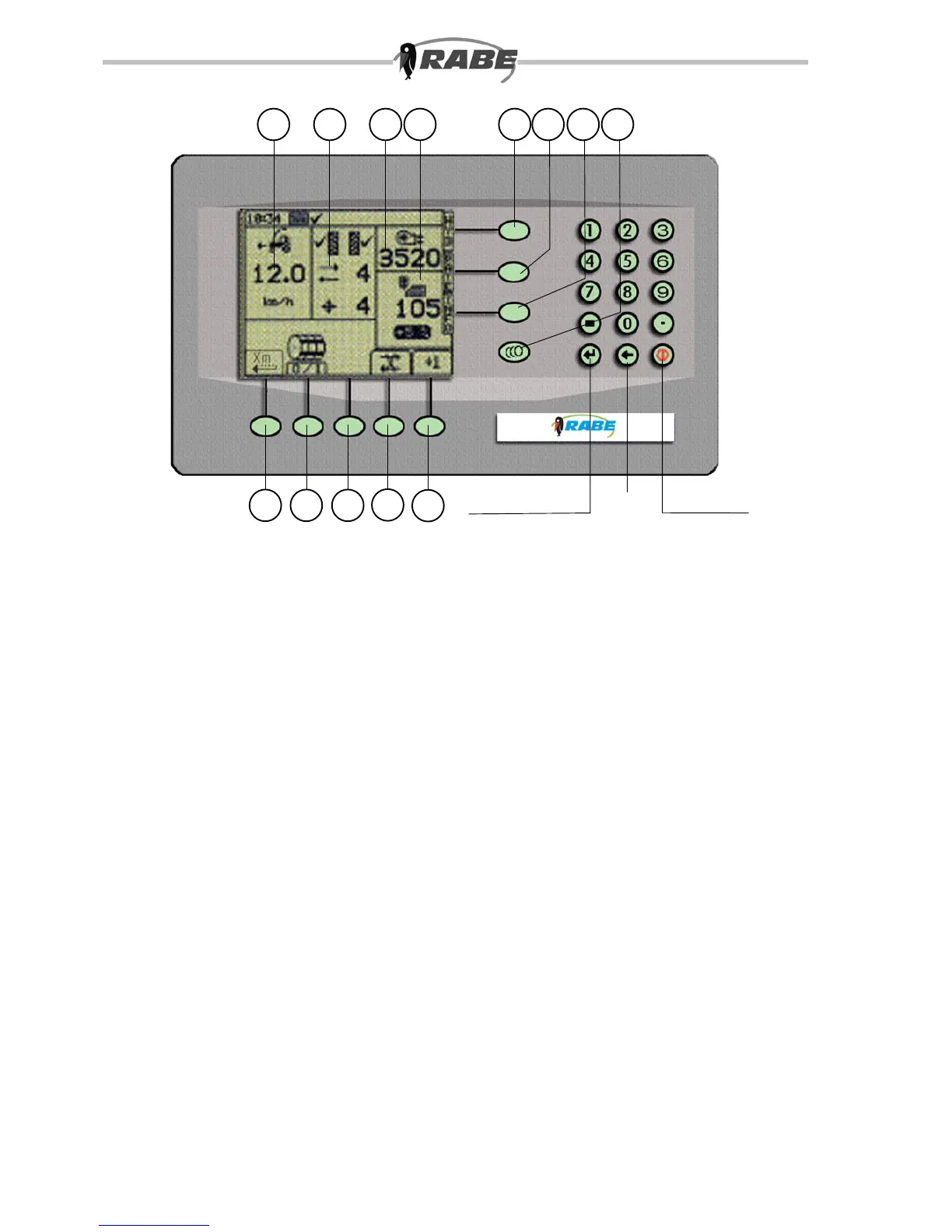
S1 S2 S3
S4
S5
I PRM
ON / OFF
Back
Enter / Return
8
c dba
3. Working with the control program
3.1 Main screen – ”Main” <M>
The following screen, which is displayed after switching on, shows at a glance all essential
working data for the seed drill. For this purpose, the display is divided into a number of areas.
At the very top is the Info-bar with the time.
Below is a block display, with speed of travel (a), tramline pattern and rhythm (b), fan speed
(c), and seed rate, with the over/under step in percent (d). The symbols below this indicate
the meaning of the softkeys, which are located below. These are on the main function screen
<M>:
<S1>: Pre-start
<S2>: Metering wheel stop
<S3>: not assigned
<S4>: Tramline counter stop
<S5>: Manual tramline correction



 To Next Page