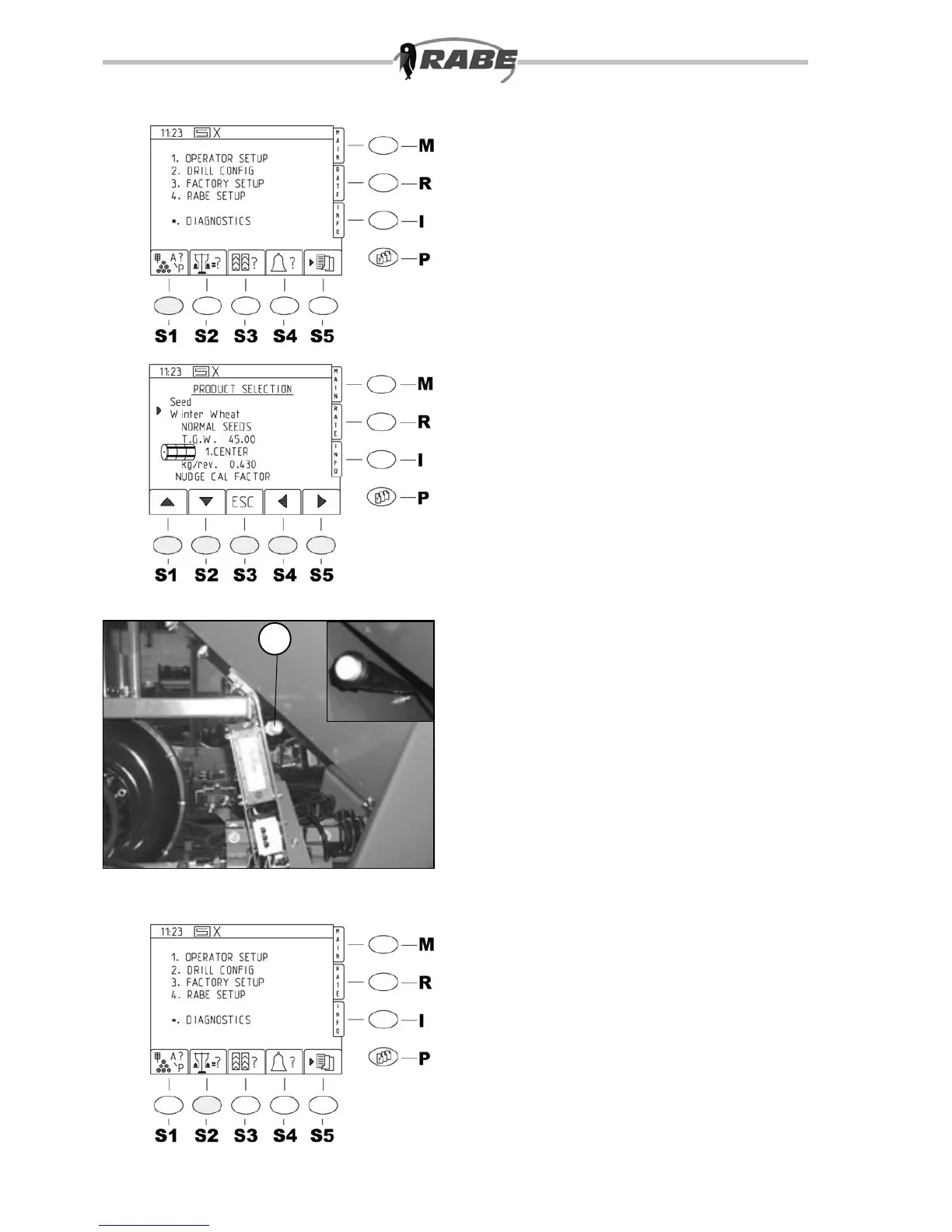
15
16
17
1
18
3.2.2 Software key functions
<S1> Seed type selection
16 seed type values are available. For each,
the names and further parameters can be
modied and adjusted in a menu described
under ”ADJUSTMENT”.
As standard, and after reset, three seed
types with average values are available.
A – winter wheat, B – winter barley, C
– oilseed rape.
On selection, the values in the seed type
table are loaded automatically.
After pressing key <S1> (seed type
selection) the screen in g. 15 appears.
Use the up/down keys (<S1>, <S2>) (g.
16) to move the marker arrow at the left
of the text to the line with the names of the
seed type (e.g. A – winter wheat).
Use the right/left keys (<S4>, <S5) (g.
16) to select one of the available seed
types.
Conrm the selection with <Enter> so that
the standard parameters are loaded.
Please do not undertake any more changes
at this point.
Further possibilities are described later.
Press key <S3> ”ESC” to return to the
parameter menu <P>.
When the seed type parameters are
correct, the values can be accepted without
calibrating, but for new seed types or
incorrect parameters, calibration will be
required.
3.2.3 Software key
functions
<S2> Calibration
The metering motor can be started manually
with the motor switch (17/1) in order to ll
the compartmented wheels of the metering
housing.
If the calibration key <S2>is pressed during
operator set-up (g.18), a warning screen
(g. 19) is displayed if the calibration ap
is not open, and an audible signal is emitted.
These are cleared as soon as the calibration
ap is opened, and the selection menu is
displayed, in which the selected seed type is
displayed (g. 20). If tramline switching is
currently active, tramlines are automatically
deactivated for the period of the calibration
sample (after about 5 seconds).



 To Next Page