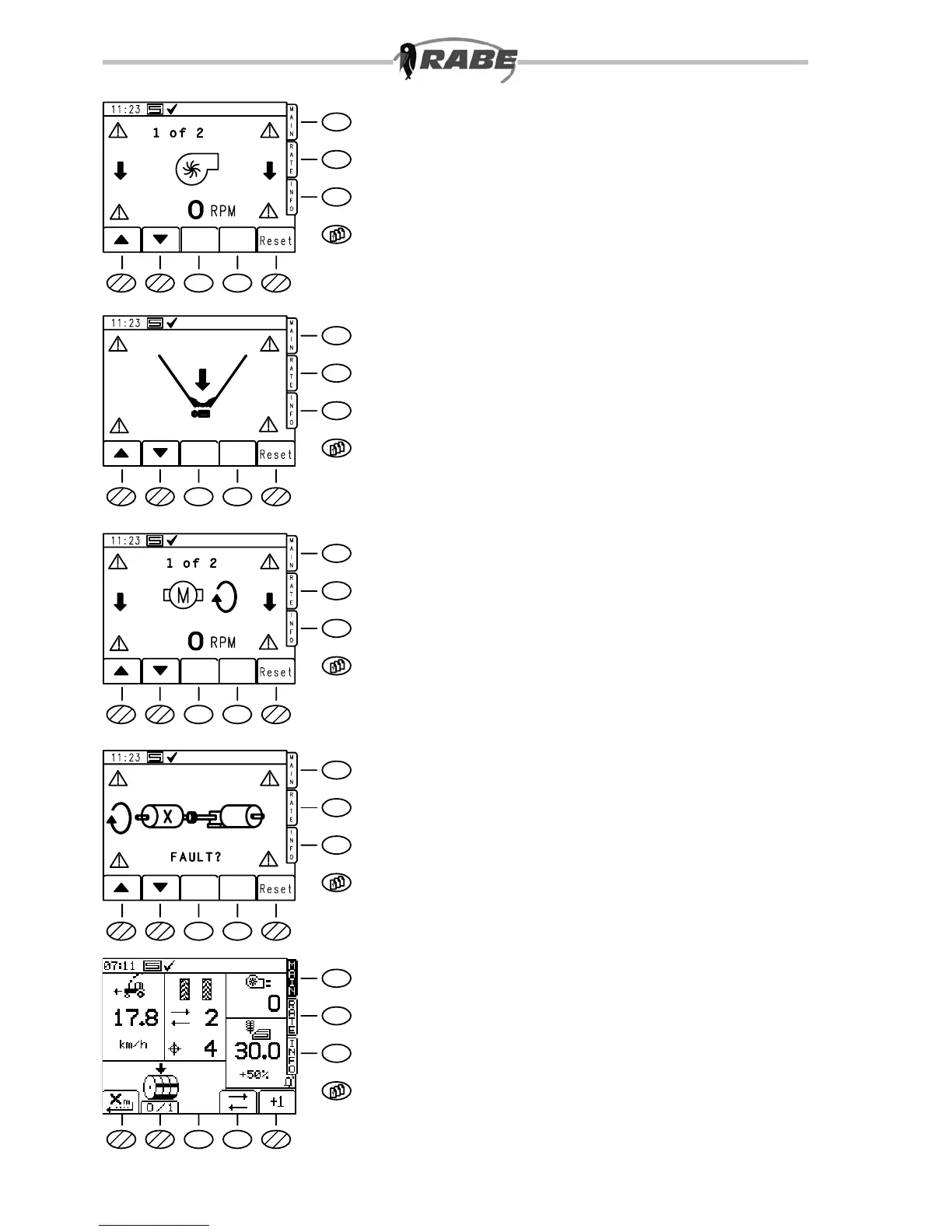
3.3 Alarm screen
Warning messages
These alarm displays (g. 30) appear for
all types of warning messages until the
cause is resolved, or the warning message
is cancelled with the ”RESET” <S5> keys.
If there are several warning messages
simultaneously, their count is displayed in
the upper part of the screen (e.g. 1 of 3).
The individual messages can be viewed with
the arrow keys (<S1>, <S2>).
When a reset has been carried out, a small
bell ashes on the main function screen
above the <S5> key as a reminder.
For example, if the machine has been
switched off on one side, the warning
message ‘Dosierwelle’ (Metering Shaft)
is displayed immediately. This can then be
acknowledged by a key press.
If the machine is subsequently raised (e.g.
when turning), the acknowledgement is then
cancelled for safety reasons.
If the warning screen appears, an
intermittent audible warning is given at the
same time, and the warning triangles in the
corners of the screen ash.
In the warning screens illustrated, the
following warnings are active:
• Fan speed too low (identiable by the
downward arrow next to the symbol)
• Hopper contents level warning
• Metering motor speed too low
Metering shaft
Fan
Contents
level
Motor rpm
Metering
shaft



 To Next Page