38
37
a)
If known, enter the numerical value directly
via the key pad, and conrm with <Enter>.
The gure is a calculated value, and
corresponds to how many metres are
travelled by the machine per impulse
from the ground wheel sensor. The sensor
transmits 360 impulses per revolution. If the
actual working circumference of the ground
wheel is known, the actual value of the
circular arc can be calculated – but this is
not recommended.!
The following method of measurement is
recommended:
b)
Determine a length of 100 metres with a
measuring tape, and mark it off with two
poles. Line up a xed point on the machine
with the rst pole, and set the machine
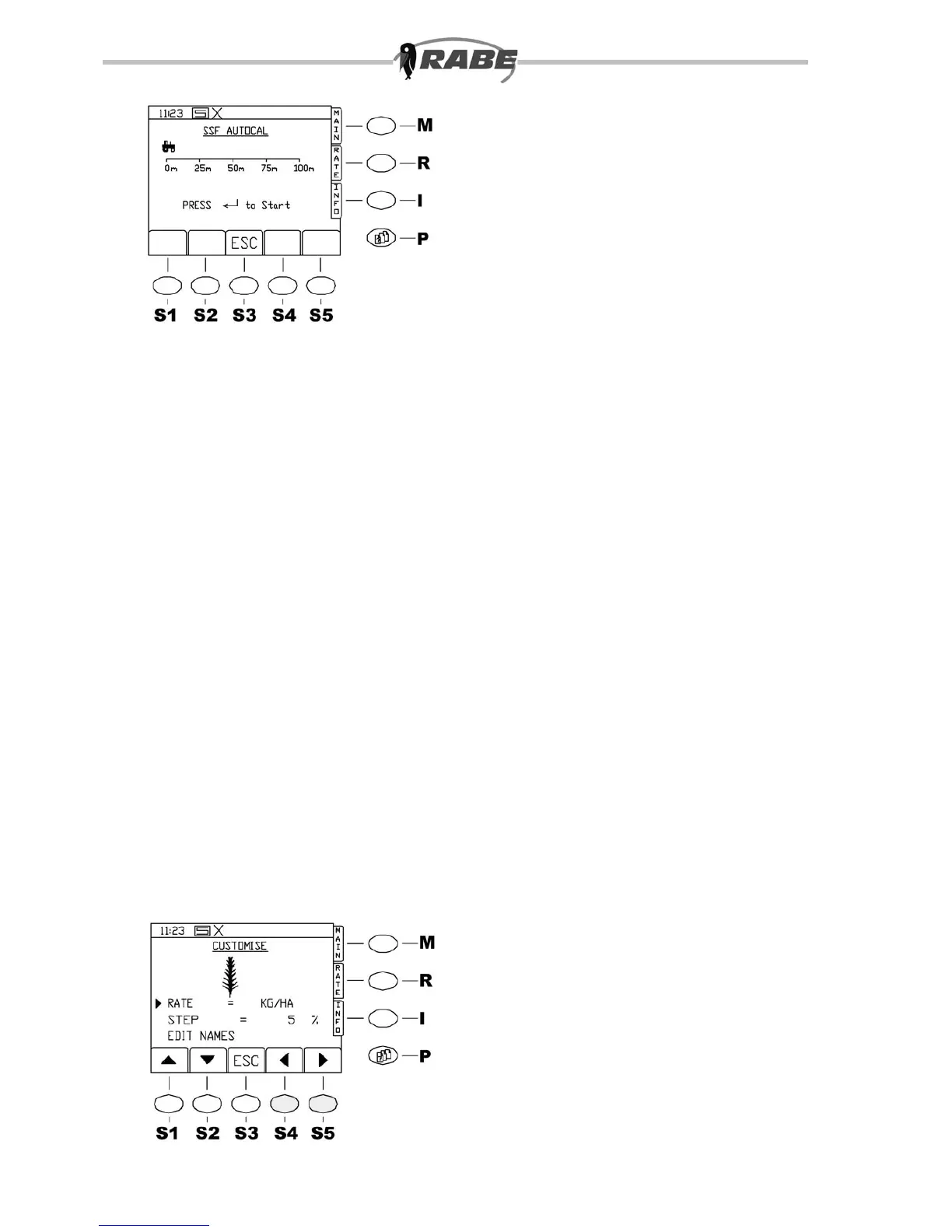
in the working position. Now select the
”AUTO-CAL” menu line with the marker
arrow, and press <ENTER>.
The following screen appears (see g. 37).
Now press <ENTER> and drive the machine
off as normal.
Do not sow during the measurement, i.e.
the fan does not need to be at its nominal
speed. Once in motion, the impulses are
displayed on the control panel. At the end
of the measured length, stop with the xed
point on the machine as closely aligned
as possible to the second pole, and press
<ENTER>. The display changes to SPEED
SENSOR FACTOR, the value is calculated
automatically and displayed immediately.
Pressing ENTER saves the value; pressing
ESC allows a new test to be carried out.
When the speed factor value has been
saved, the display returns to SPEED SENSOR
FACTOR. Exit from this screen with <ESC>.
4.1.3 CUSTOMISE
The CUSTOMISE options can be accessed
as follows:
Press the Menu Screens key (see 3.2.1).
Select option 1 (Operator setup) by
pressing <ENTER> (the marker arrow will
already be in the correct position).
Then select option 3. CUSTOMISE (e.g. by
bringing the marker arrow to the correct
line and pressing <ENTER>). The following
screen is displayed (g. 38).



 To Next Page