48
49
49.1
4.1.5 DATE/TIME
Using option 5, the date and time can be
adjusted.
4.1.6 INFO NUMBER
Press option 6 ”HELPLINE” to display the
service address and telephone number for
RABE.
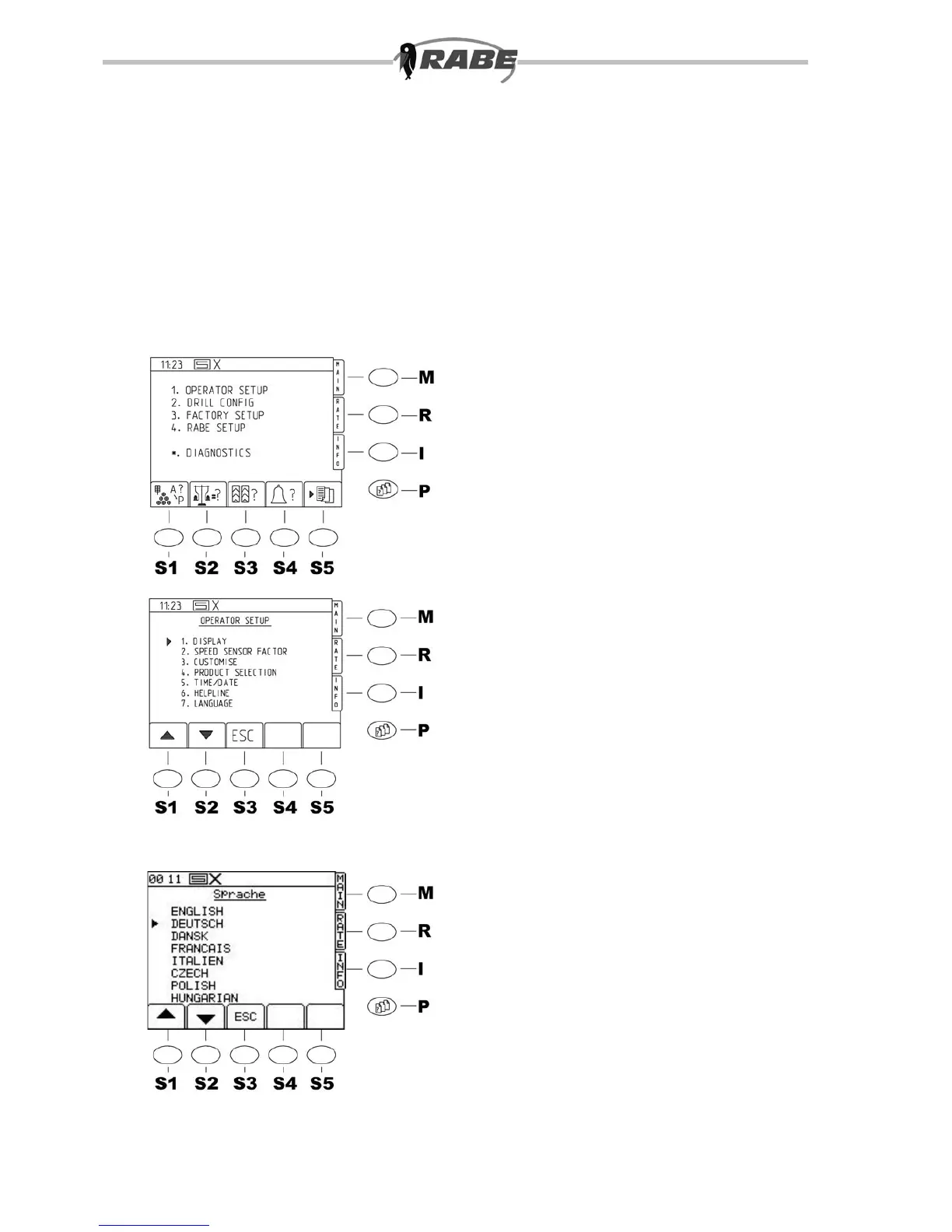
4.1.7 SELECT LANGUAGE
(g. 49.1)
When the <P> key is pressed for the
parameter menu screens, the screen in g.
48 appears.
Now press the <1> key on the numerical
pad to reach OPERATOR SETUP (g.
49). Various settings (4.1.1 to 4.1.7) are
possible.
To change the display language for the
screens, take option ‘7. LANGUAGE’.
In the list of languages which appears, move
the marker arrow to the desired display
language, and press <ENTER>.
The control system changes automatically
to the ‘DEFAULT SETTINGS’ screen in the
desired language.
Press <ESC> to return to the menu
selection.



 To Next Page