11
Subject to technical change without notice
09.2003 09.2003
12
14
13
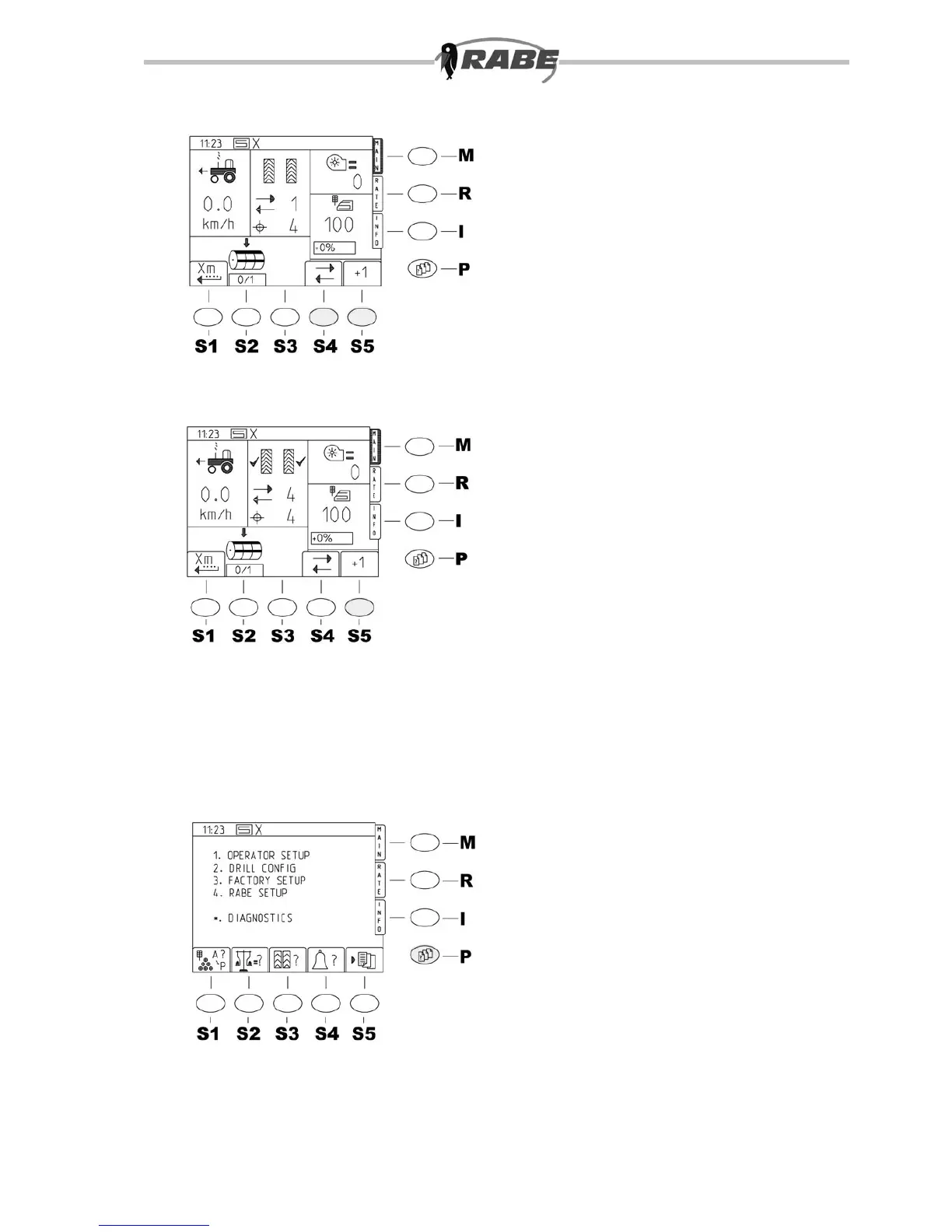
<S4> Tramline stop
With Tramline Stop <S4> (g. 12) ,
relaying is suppressed, regardless of
whether the terminal key <S5> is pressed
or not, or whether the machine is raised.
Press terminal key <S4> again to release
relaying. The status of switching can be
seen from whether or not the symbol has
a line through it. Note that the tramline
cycle only relays once the machine has been
raised for 5 seconds.
<S5> Modify tramline cycle
Tramlines are relaid by raising the machine
(sowing stop) or manually by the correction
key <S5> on the terminal. When tramlines
are active, a checkmark appears against the
switched row (track). See g. 13.
3.2 Setting operating
parameters
3.2.1 Accessing the
parameter menus <P>
When the <P>key for the parameter
menus is pressed, the screen in g. 14
appears. This is the entry menu for setting
all machine values. By pressing the lower
softkeys <S1> and <S2> a direct selection
and change of the working parameters on
this screen is equally possible.



 To Next Page