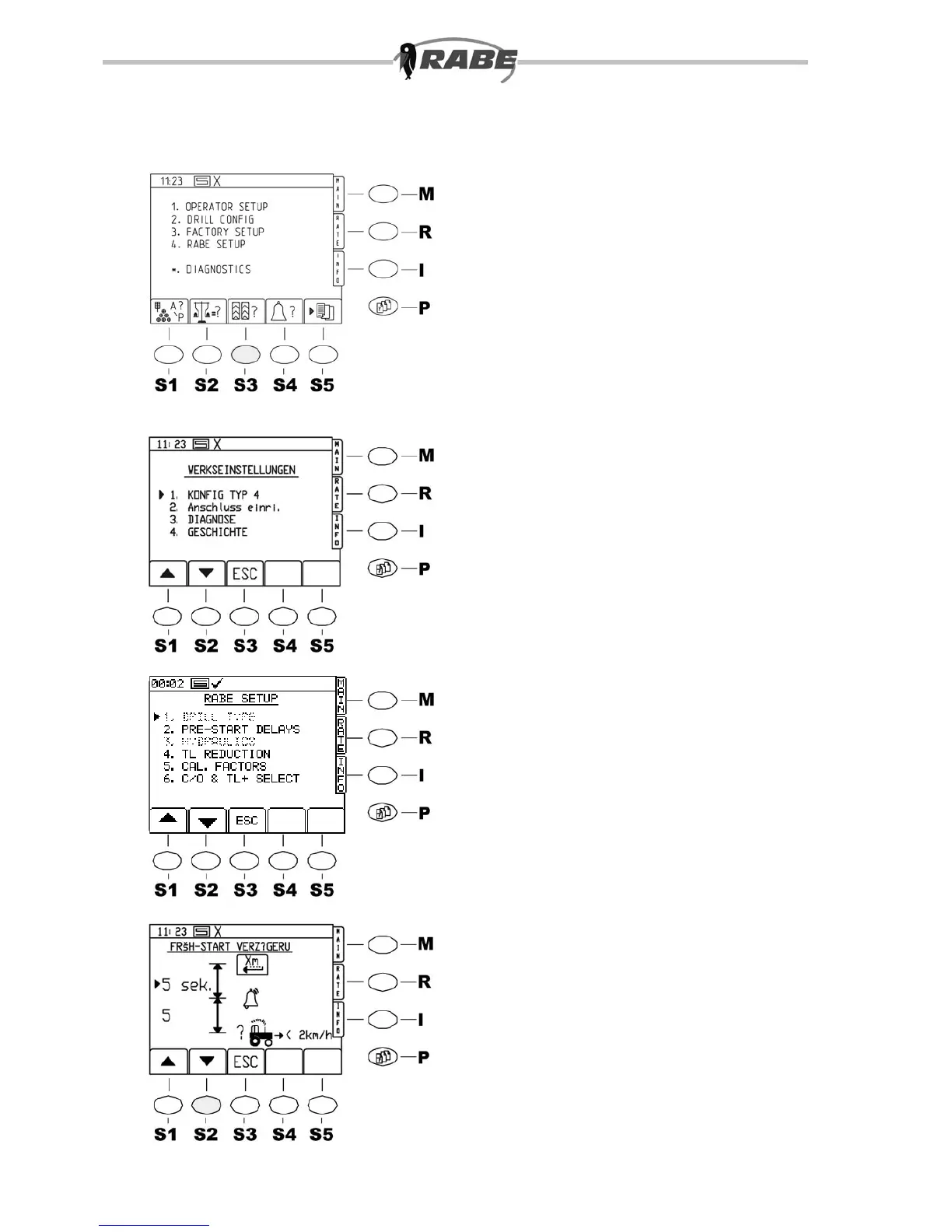
54
55
56
56.1
4.3 Factory set-up
When the <P> key is pressed for the
parameter menu screens, the screen in
g.54 appears.
After this, press the <3> key on the
numeric keypad to go to the Factory Set-up
menu. Various settings 4.3.1 to 4.3.4 can be
carried out here.
4.3.1 CONFIG TYPE 4
No modications may be carried out here.
4.3.2 Establish a connection
The connections with which the PRO S8000
is equipped can be seen.
Modications may only be made if additional
equipment (GPS Fieldstar) is to be
connected.
4.3.3 Diagnosis
Do not make any modications here.
4.3.4 HISTORY
a) This displays the total surface
covered by the machine.
b) An error evaluation of the CAN bus is
possible.
4.4 RABE SETTINGS
(g 56.1)
4.4.1 Machine type
(not visible)
No modications may be carried out here.
4.4.2 Early start time delay
(pre-start)
Press the <2> key on the numeric keypad
to access the ”Time delay menu” (Fig. 56).
The delay and reaction times can be
modied by the entry of new values through
the numeric keypad.
These values can be dened as follows:
By pressing the <5> key on the numeric
keypad you may choose whether pre-start is
to be activated automatically or manually.



 To Next Page