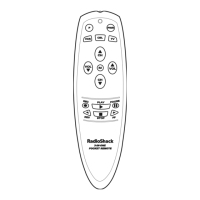
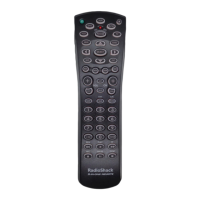
4-IN-ONE REMOTE POWERED BY KAMELEON
SEARCHING FOR YOUR CODE (Continued)
2. Press above SEARCH once. The Search Codes programming screen
will appear:
3. Press a device key once (e.g.,TV).The selected device key will animate.
The device’s Main Menu screen will appear with still displayed.
4. Press POWER once to select it as the search test function. The Search
Programming screen will appear again.
NOTE:With POWER as the search test function, a “Power On” IR command will be
sent to the device each time a test code is sent. As a confirmation, the IR segments
will animate.
NOTE: If your device or its original remote control does not have a Power key, select
a different test function in this step (e.g., CH
▲, VOL. ▲,PLAY, etc).
5. Aim the remote at the device (e.g.,TV) press ▲ one or more times and
stop when a working code performs the test function selected in step 4.
If desired, use ▼ to try a previous code.
NOTE: In the search mode, the remote control will send IR codes from its library to
the selected device, starting with the most popular code first.
6. To lock in the code,press OK once. The bottom IR segment flashes twice.
7. To search for codes of your other devices, repeat steps 3 to 6, but use
the appropriate device key and test function key for the device you are
searching for.
8. To exit programming, press twice.The display will return to the last-
selected device menu screen.
14 Searching For Your Code


 To Next Page
 Loading...