OWNER’S MANUAL
A QUICK LOOK AT THE CONTROLS
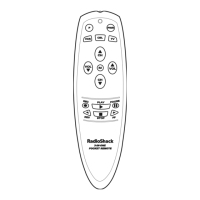
Use the remote illustration (below) to locate controls and then study the
Key Functions (starting on the next page) to learn how they function.
NOTE: The remote illustration shows all control keys. In actual operation, only active
keys used by the selected device are displayed, and non-active keys are hidden. These
controls work like the ones found on your original remote controls.
To find out what type of devices can be controlled by each device key after
programming, see the Device Table on page 8.
To find out what keys appear when the program mode is activated or when a
device is selected,see the Device Menu Screens section starting on page 27.
Included are brief descriptions of how the keys work for each displayed screen.
continued on next page...
A Quick Look At The Controls 5


 To Next Page
 Loading...