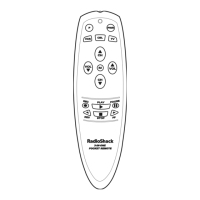
4-IN-ONE REMOTE POWERED BY KAMELEON
SETTING THE TILT SWITCH (Continued)
ENABLING THE TILT SWITCH
1. Press and hold P until the bottom IR segment flashes twice. The program
keys will appear:
2. Press above OTHER once. The Other programming screen will appear:
3. Using the number keys, enter 9 8 5. The bottom IR segment will flash
twice, confirming the Tilt Switch is enabled.The program keys will
appear again.
4. Exit programming by pressing once.The display will return to the last-
selected device menu screen.
CLEARING ALL CUSTOM PROGRAMMING
The RadioShack 4-in-One Remote contains a Custom Programming Reset
program.You can use it to remove all custom programming, except your
setup codes and reassigned device keys.
IMPORTANT: Executing this program will erase all custom settings for
Keymoved Keys, Volume Lock, and Favorite Channels.
1. Press and hold P until the bottom IR segment flashes twice. The program
keys will appear:
24 Setting The Tilt Switch/Clearing All Custom Programming


 To Next Page
 Loading...