Getting ‘on air’ with your Radioddity GD-73 v1.0
4. Installation of the CPS
Before you may start programming your codeplug using the Radioddity CPS you need
to install the USB-Driver as described in the previous chapter and the CPS as
described in this chapter.
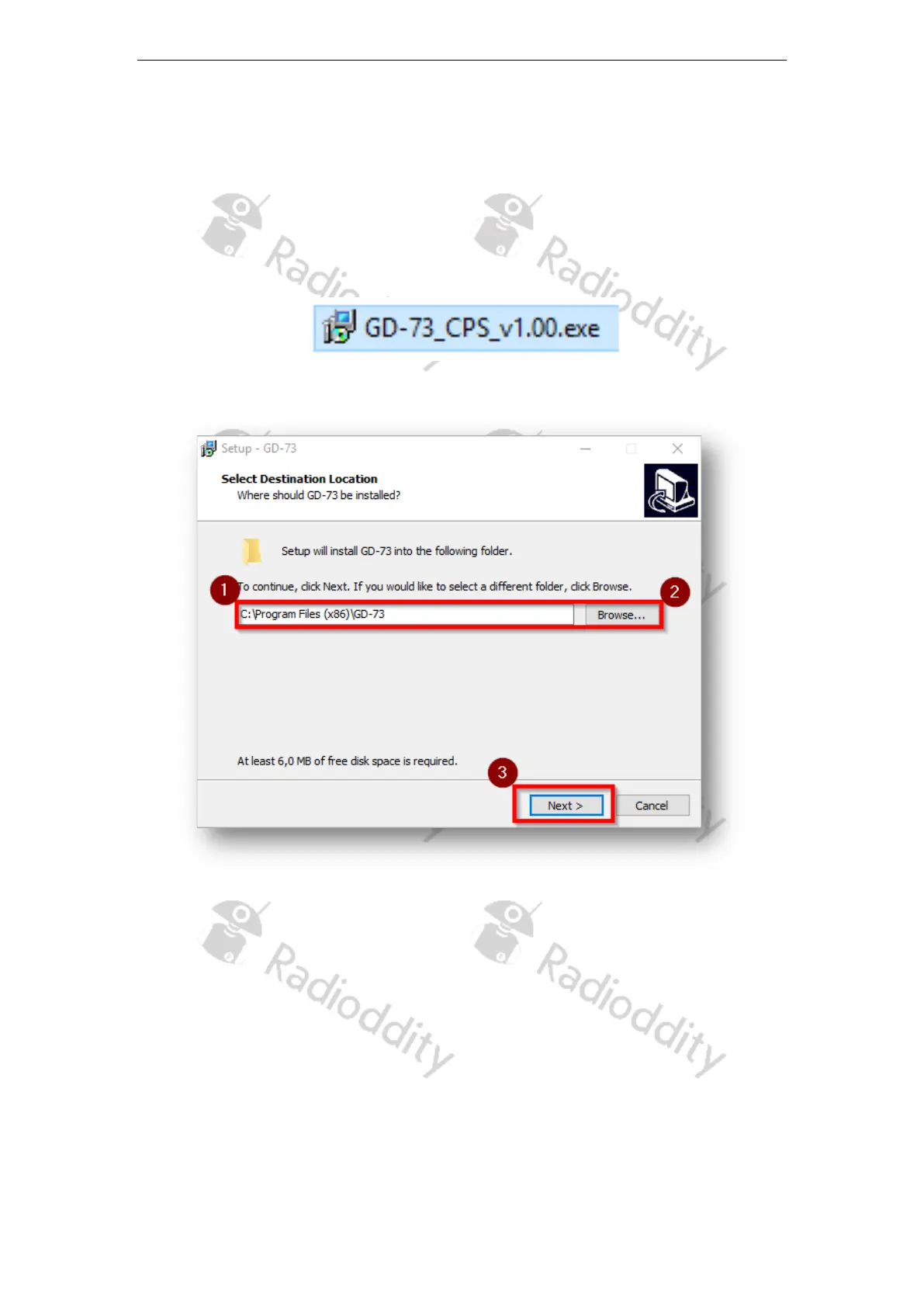
1. Locate the installer for your CPS, named e.g. ‘GD-73_CPS_v1.00.exe ‘ in the
software package.
2. Run this program as an Administrator
3. The path (1) you want the CPS to be installed may be changed (2) before
hitting the next-button (3) to continue installation of the CPS:
Page 10 of 23










 To Next Page