Getting ‘on air’ with your Radioddity GD-73 v1.0
6. Transfer the codeplug to the radio
After completing all the above steps, it is adviseable to save the data locally to the PC
first (‘File’ ‘save’/’save as’) before you transfer the data from your PC to the GD-73.
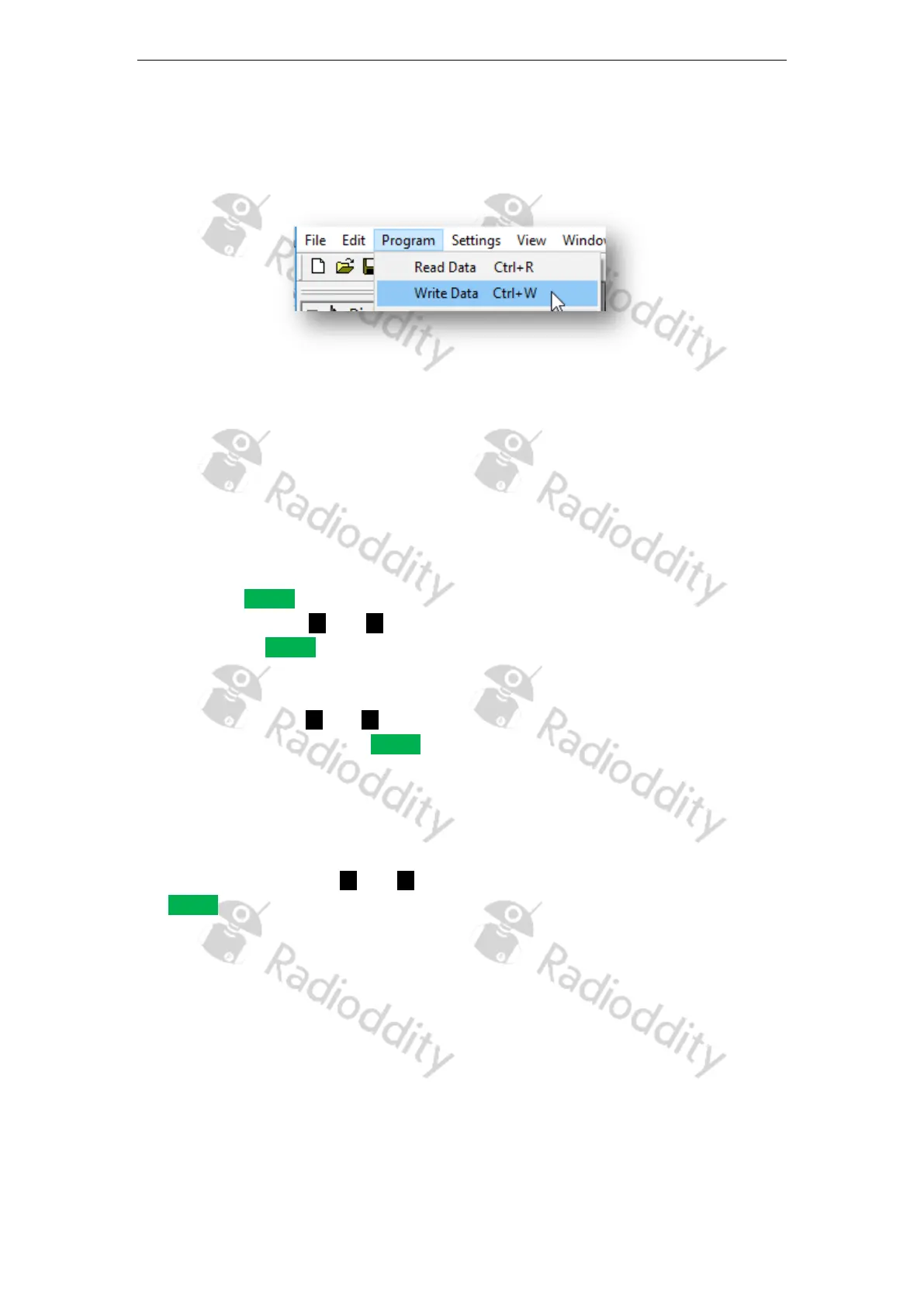
To do so, click on ‘Program’‘Write Data’
7. Get ‘on air’
Now you are prepared to get ‘on air’.
Selecting a Zone
A zone is a collection of radio channels grouped together. Your radio can store up to
64 such zones, each with up to 16 channels
.
1. Press the MENU button to enter the menu.
2. Using the buttons and navigate in the menu and confirm your selection by
pressing the MENU button again.
3. Select ‘settings’ in the menu
4. Then select ‘zone’ in the sub-menu
5. Using the buttons and navigate to the desired zone and confirm selection of
your chosen zone with the MENU button.
6. The display now shows the selected zone in the middle.
7. The line below shows the currently selected channel in the zone.
Selection of a channel
Navigate with the buttons and to select the desired channel. Confirmation with
the MENU key is not required here.
Page 20 of 23










 To Next Page