Getting ‘on air’ with your Radioddity GD-73 v1.0
General
Turning on the radio
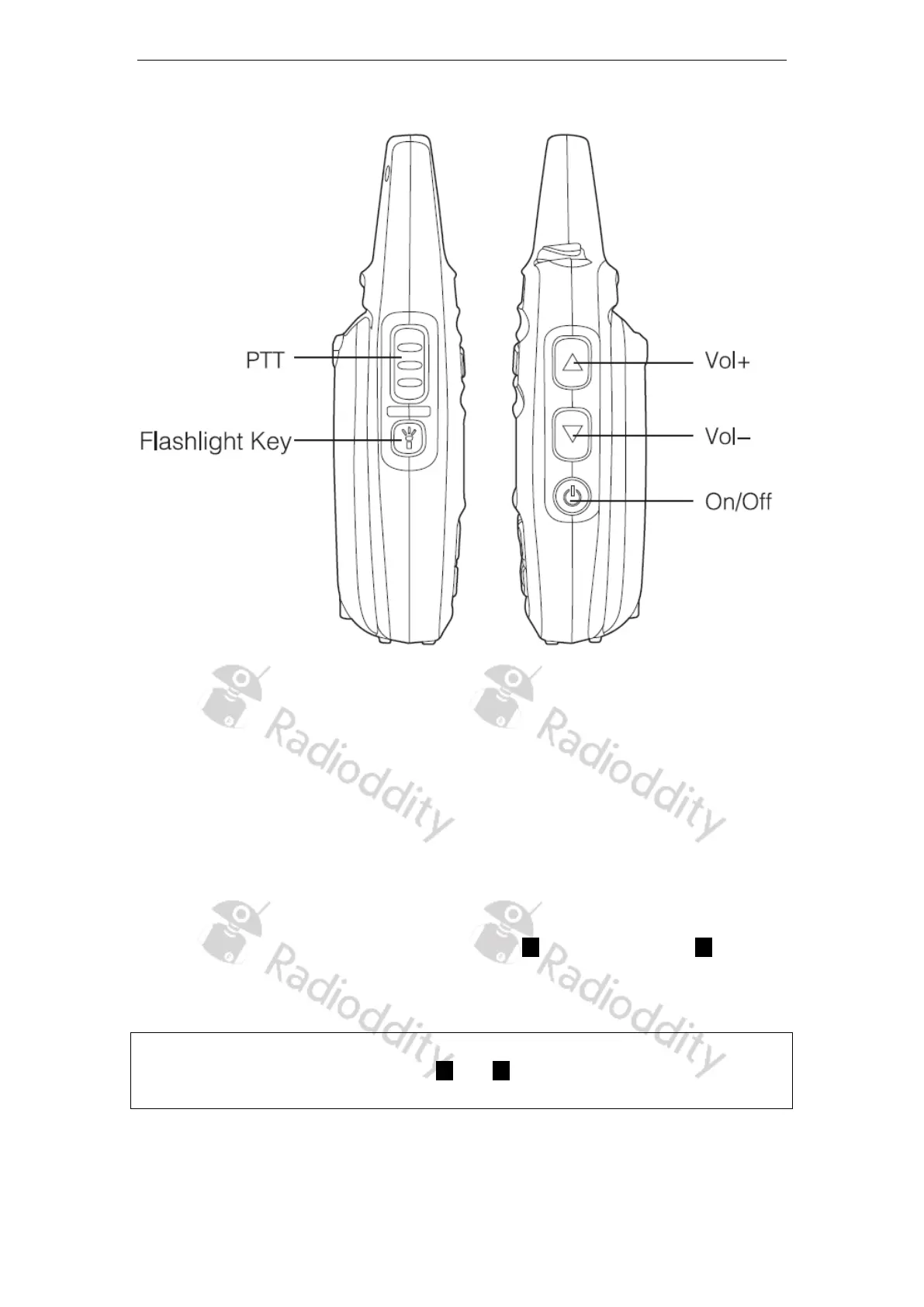
The power on/off switch is located on the right side of the radio. Press and hold it for
about 3 seconds to turn on the radio. The Radioddity logo appears on the display, the
status LED lights up red briefly and an ascending 4-tone sequence sounds.
Turning off the radio
Press and hold the power on/off button for about 3 seconds to turn the radio off. The
display goes off.
Adjust the volume
Above the power on/off button are the volume up () and volume down () buttons,
use these to adjust the volume of the built in speaker or any attached external
earphone.
Note:
Later on in this document the symbols and will refer to the front panel up/down
selector of the GD-73, underneath the LCD display.
Page 6 of 23










 To Next Page