Getting ‘on air’ with your Radioddity GD-73 v1.0
• Each Digital (DMR) channel must have a Digital RX Group List, with at least
the transmit Talkgroup contact for the channel a member of the group you
attach to the channel.
• If you do not attach a Digital RX Group List to a DMR channel, you won’t be
able to hear or receive anything on that channel.
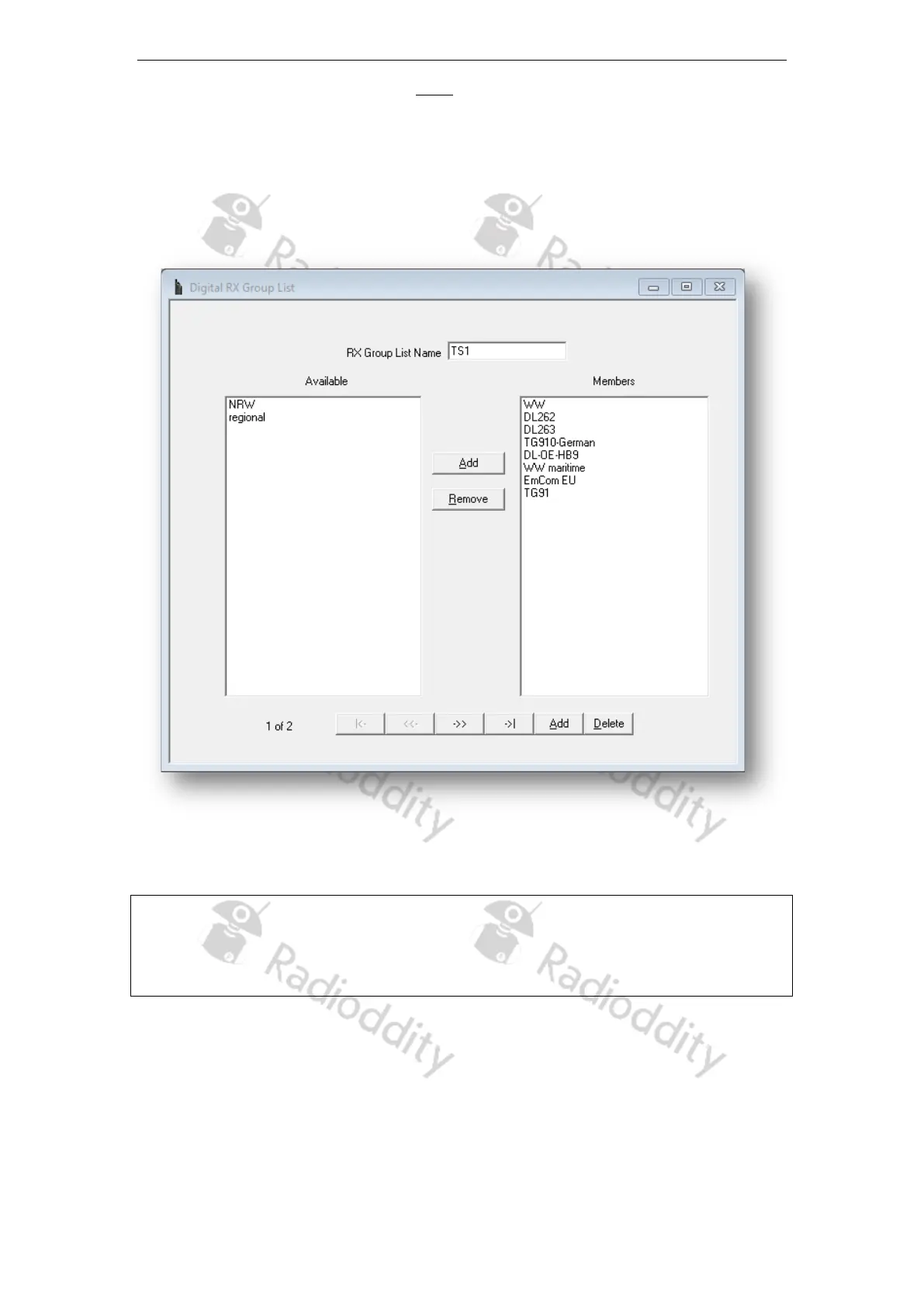
To edit these groups, use ‘Edit’‘Digital RX Group List’. A typical group may look like:
By clicking on the ‘Add’ button, you can now add another ‘Digital RX Group’. A click on
the ‘Delete’ button deletes the displayed ‘Digital RX Group’.
Note
To start with, it is a good idea to group all those digital contacts (TG) that are active on
time slot 1 within the very same group and name it ‘ts1’. For those that are active on
time slot 2, name the corresponding group ‘ts2’.
4d Setup of channels
To edit the channels, click on ‘Edit’‘Channel Information’. You can then select one of
the existing channels. Name the channel is a way, that there is also some information
about the talkgroup (TG) within its name. This will be very helpful in later operation.
e.g. <location of station/repeater>-<talkgroup> such as ‘Cologne-262’
Page 16 of 23










 To Next Page