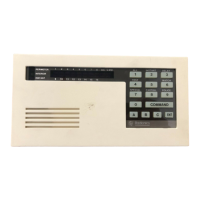
Using COMMAND 9:
1. Press the COMMAND bar. The display shows
SYSTEM COMMAND.
2. Press the 9 key. Your COMMAND 9 special alert
has been programmed to:
___ notify your alarm company
___ ring a bell on your premises
___ display at your command center
Description:
___________________________________________________
__________________________________________________________________
__________________________________________________________________
__________________________________________________________________



 To Next Page