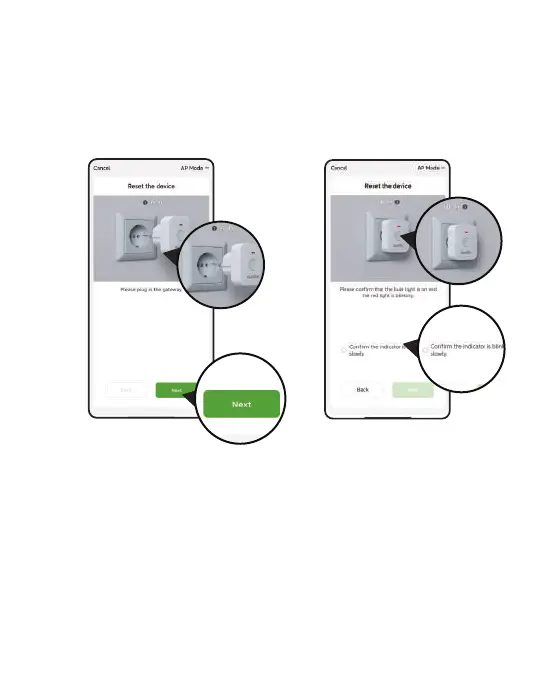
4. Plug the TWG009BW Irrigation Gateway into an outlet near the router
and wait 10 seconds for the device initialization to complete.
Press and hold for 5 seconds until the blue indicator light is always on
and the red indicator light is blinking slowly, Then the APP will search
and pair your Irrigation Gateway automatically.
- 03 -



 To Next Page