3D PRINTER MANUAL- RAISE3D PRO2 SERIES
- 20-
www.raise3d.com
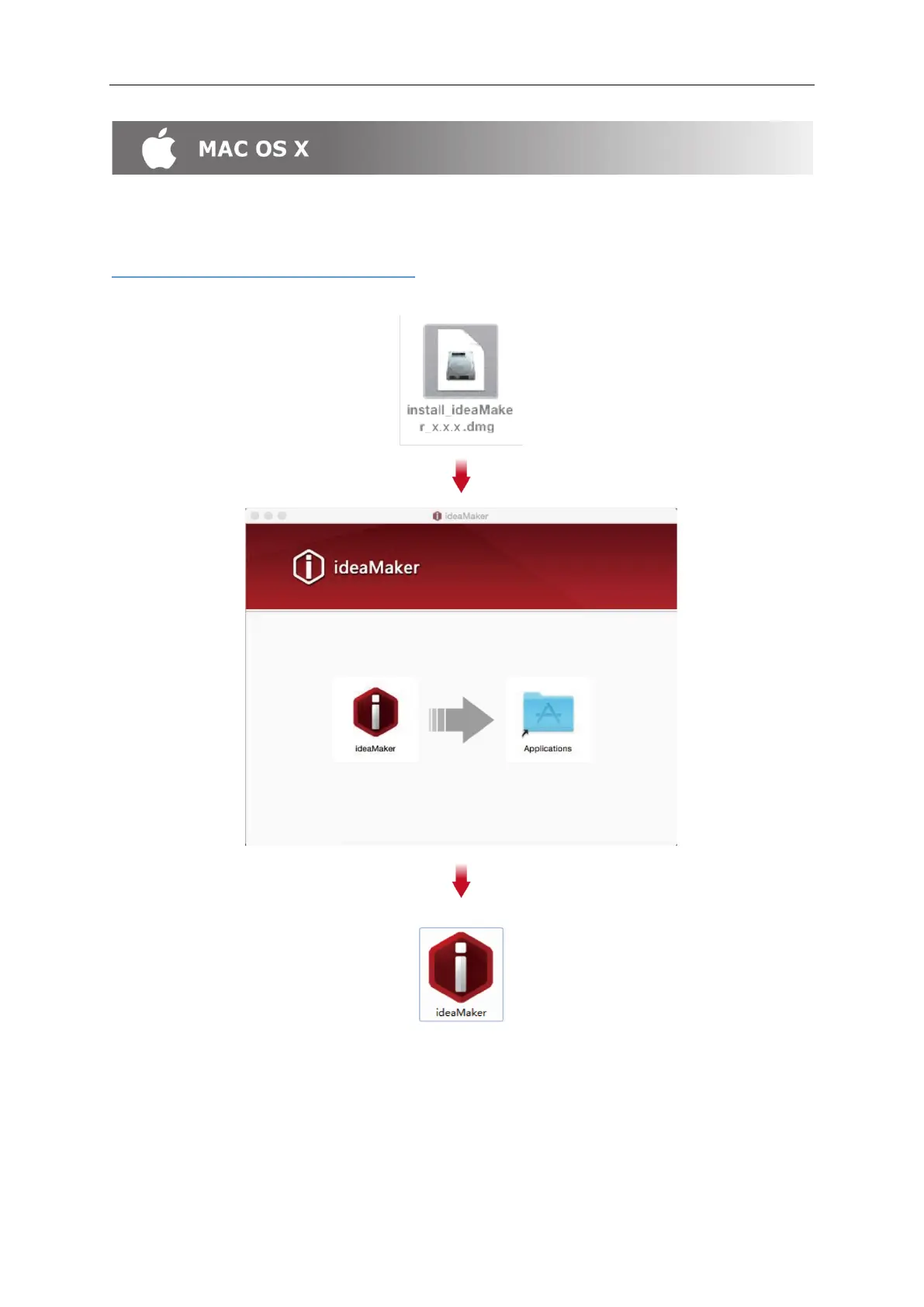
Open the Disk Image for the ideaMaker installer. This is located in the USB storage drive
Included with your printer, or download the latest version from
www.raise3d.com/pages/download#down-im.
Drag the ideaMaker icon(left) into the Application folder on the right side.
⚫ ideaMaker Initial Setting
➢ When launching ideaMaker for the first time you, you will need to select your printer model from
the drop-down list, then press "Next".



 To Next Page