EasyManua.ls Logo

Raise3D Pro2 - WLAN Connection

Raise3D Pro2
42 pages
Print Icon
To Next Page IconTo Next Page
To Previous Page IconTo Previous Page
Loading...
3D PRINTER MANUAL- RAISE3D PRO2 SERIES
- 24-
www.raise3d.com
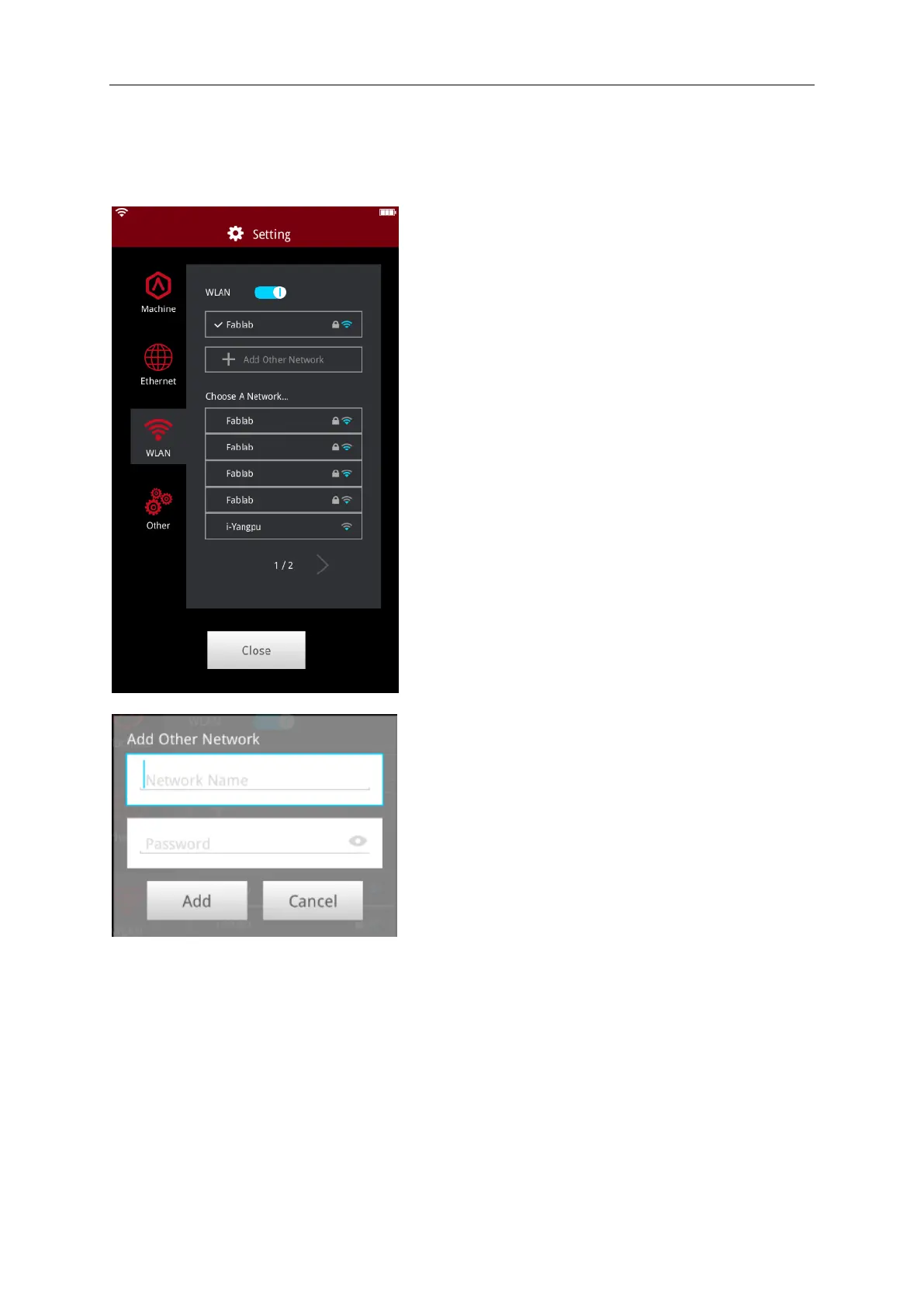
WLAN Connection
You can connect to a network to by selecting the
SSID and inputting the password. When the WIFI
module is manufactured, 2.4G is set at HT20,
5GHz is set at HT40. The wifis frequency is fixed
before being manufactured. The customer is not
allowed to modify WIFI’s parameters. (If needed,
please contact tech support at Raise 3D).

Or Add Other Network by inputting name and
password.

Other manuals for Raise3D Pro2

Related product manuals