3D PRINTER MANUAL- RAISE3D PRO2 SERIES
- 22-
www.raise3d.com
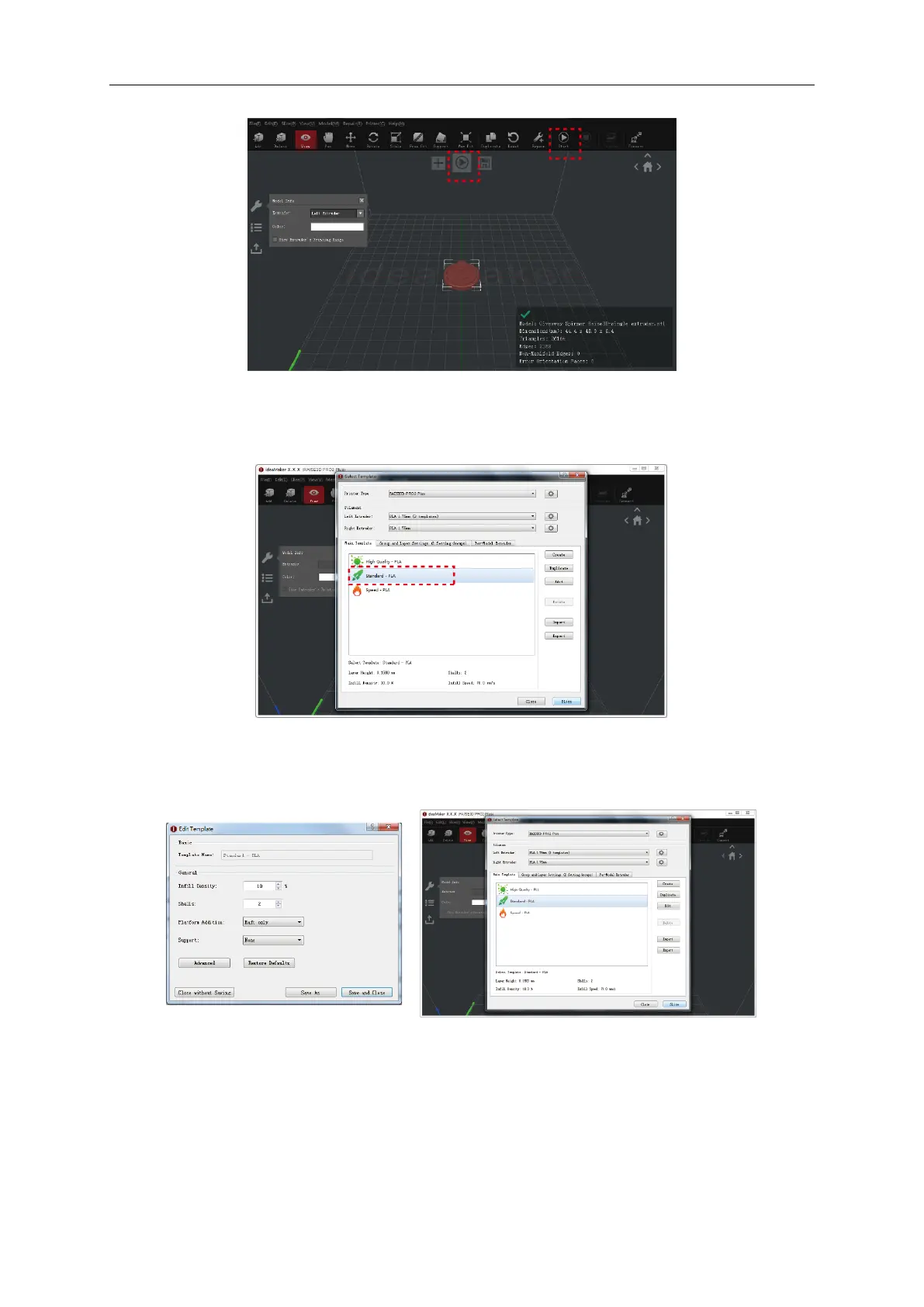
➢ Confirm your printer type and material are correct, then select the standard slicing template.
Click “Edit” to select the type of Platform Addition and the type of Support.
➢ Select your type of Platform Addition and Support in the "Edit" window. Click "Save and Close" to
return to the previous menu. Click "Slice" to generate your file.
➢ Save the sliced files (.gcode and .data) by exporting to the USB storage drive.
NOTE: File names that do not conform to the Western Latin character set may not display properly.



 To Next Page