V4.1.0R
25
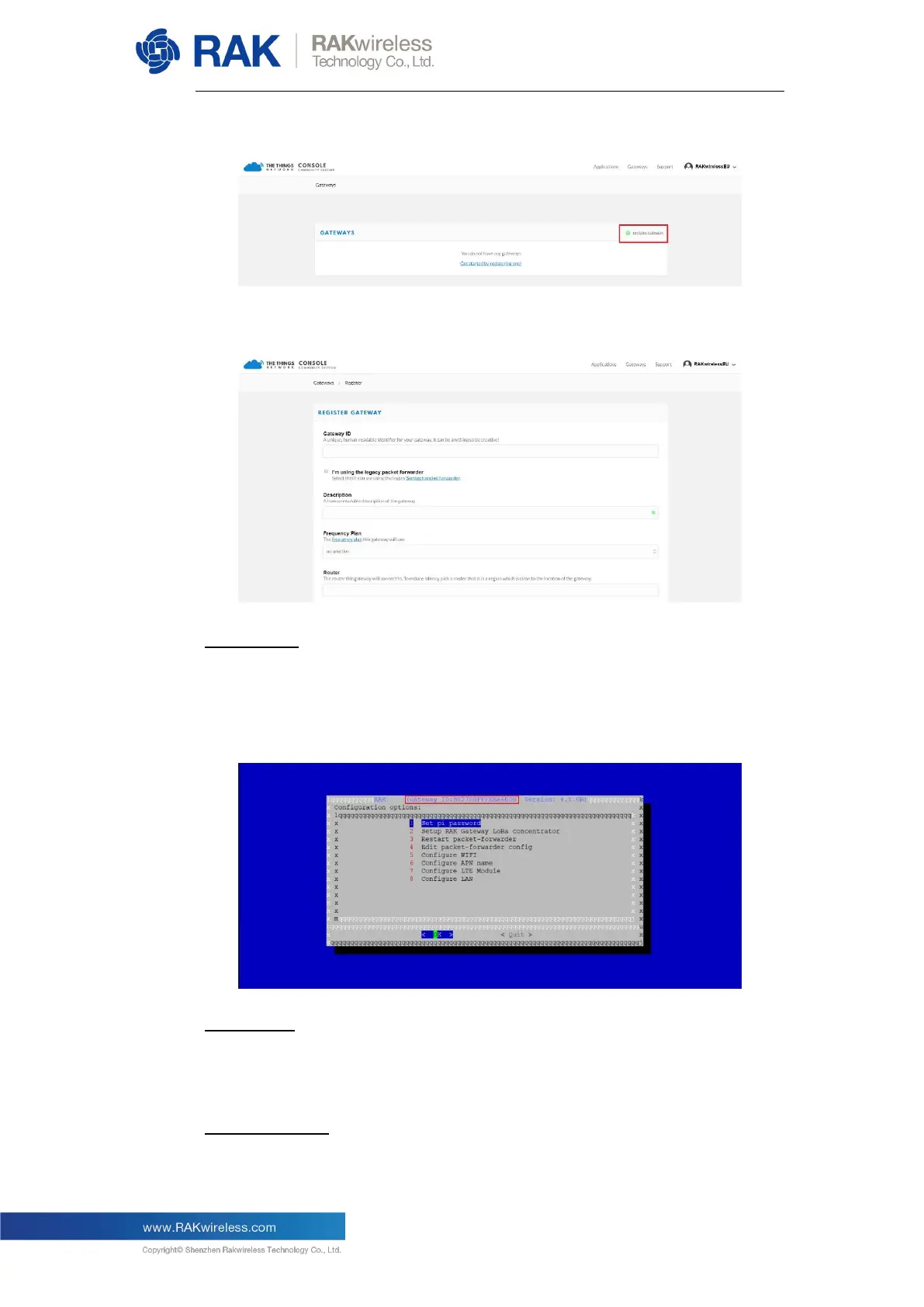
Click on register gateway”:
Fill in the requested fields:
Gateway ID:
This is a unique identifier of your Gateway. This should have the same values
as the one shown in the Gateway Configuration Wizard (see image below).
Make sure to select the “I’m using the legacy packet forwarder”
Description:
The is no strict format or uniqueness for this field, you can enter whatever
you like (RAK7244 Indoor Gateway for our example).
Frequency Plan:
This should correspond to the Gateway Hardware and the region you are in.


 To Next Page