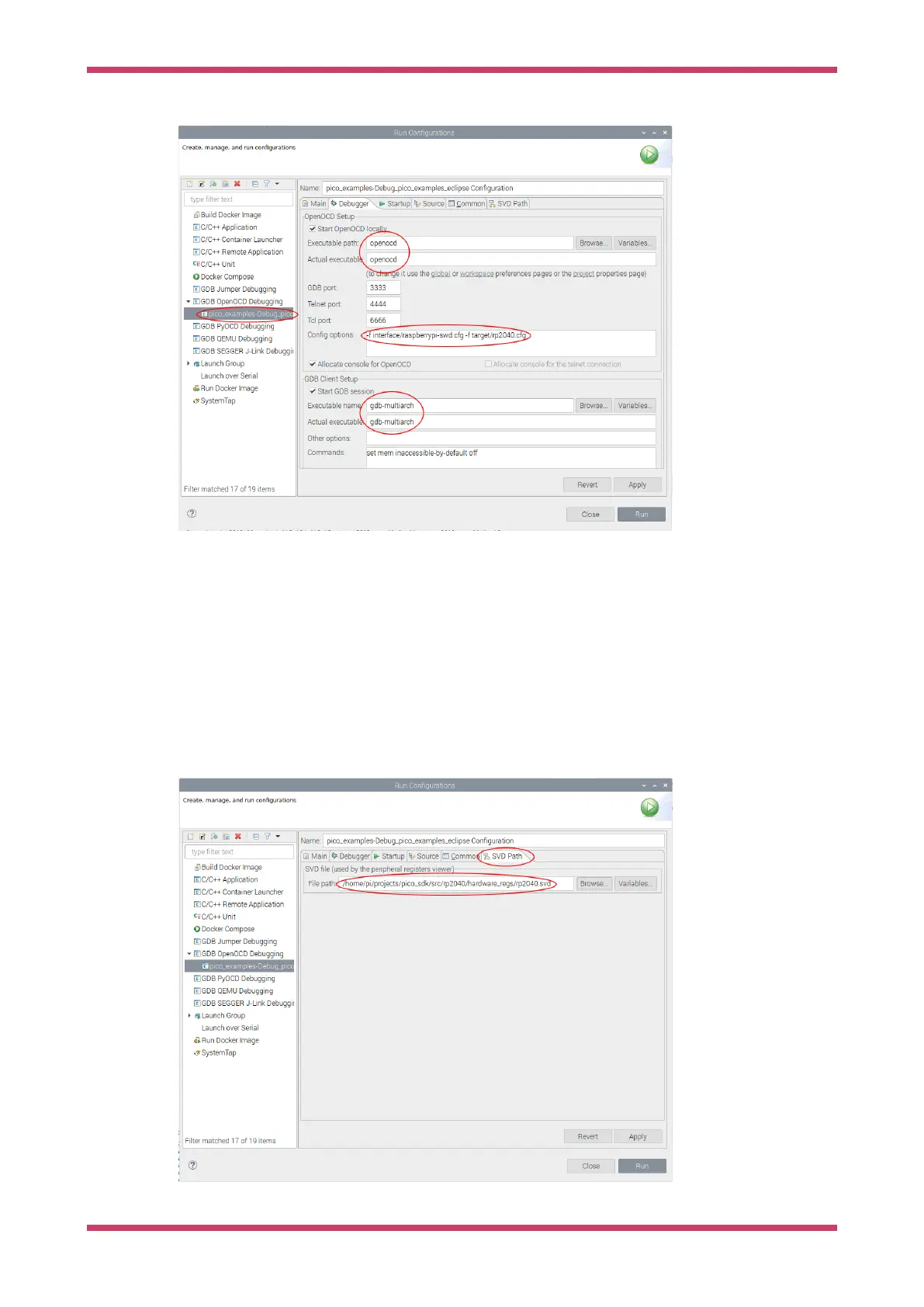
Figure 17. Setting up
the Debugger and
OpenOCD in Eclipse.
Setting up the SVD plugin
SVD provides a mechanism to view and set peripheral registers on the Pico board. An SVD file provides register
locations and descriptions, and the SVD plugin for Eclipse integrates that functionality in to the Eclipse IDE. The SVD
plugin comes as part of the Embedded development plugins.
Select the SVD path tab on the Launch configuration, and enter the location on the file system where the SVD file is
located. This is usually found in the pico-sdk source tree.
E.g.
…/pico-sdk/src/rp2040/hardware_regs/RP2040.svd or …/pico-sdk/src/rp2350/hardware_regs/RP2350.svd
Figure 18. Setting the
SVD path in Eclipse.
Getting started with Raspberry Pi Pico-series
Use Eclipse 46



 To Next Page