Windows
22
8)If you selected IBM-PC/AT FDISK format at step 7), the message box
saying [You should create partition next] will appear. Then, click [OK].
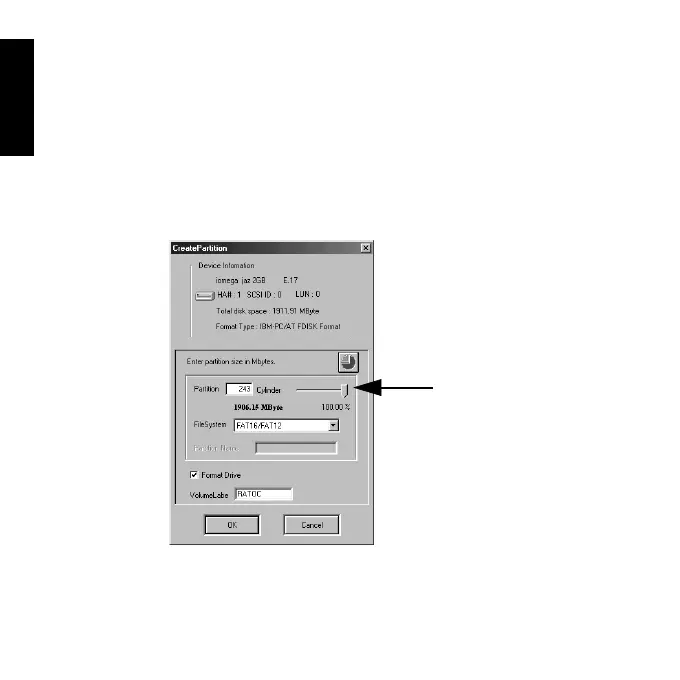
You will see the screen shown at the step 6) and select [Create Partition]
from the [Edit] menu. And then, you will see the screen below. Select [File
System] from the list box and set Partition size, using the slider bar. Then,
click [OK] to create partition. If you selected Super FD format at step 7),
you will see a screen similar to the following. Select [File System] from the
list box.
9)You must restart your computer for your information to take effect.
If you are using a removable media, the media will be ejected to take effect.
So, you don’t need to restart your computer.
Slider Bar



 To Next Page