Macintosh
30
4-2.Installing on Macintosh
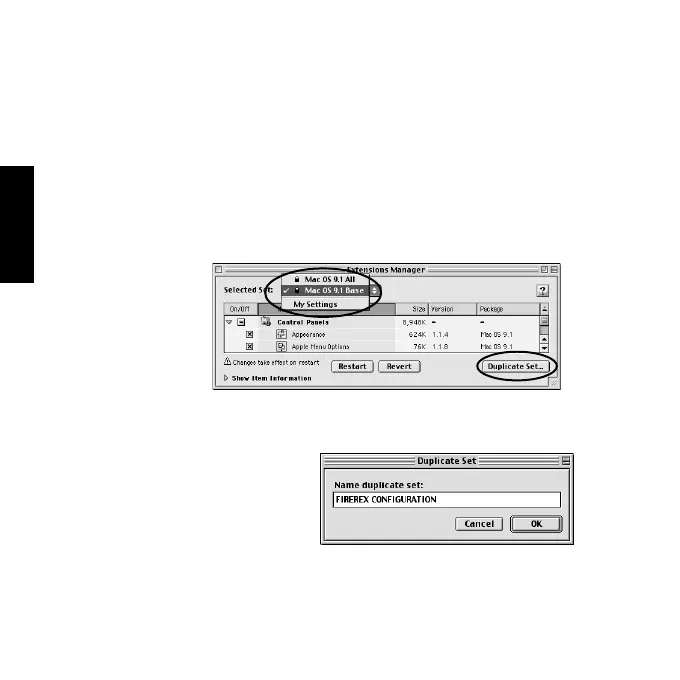
As described below, duplicate Mac OS Base with the [Extensions
Manager] before installing/using the utility. Then, change the duplicated set
to the previous set after finishing the utility. If you use Mac OS X, refer to
Chapter 4-2-2.
1)Open [Extensions Manager].
2)Change selected set from your settings to [Mac OS Base] and click
[Duplicate Set...].
3)The following window will appear. Type in a name such as [FIREREX
CONFIGURATION] and click [OK]. Then, disable the following
function:
•Authoring Support
•FireWire Authoring Support
•Disc Burner Extention
4)Insert the bundled CD-ROM.
4-2-1.Installing on Mac OS 9.1.x/9.2.x



 To Next Page