27
Windows
B.How to configure the SCSI parameters
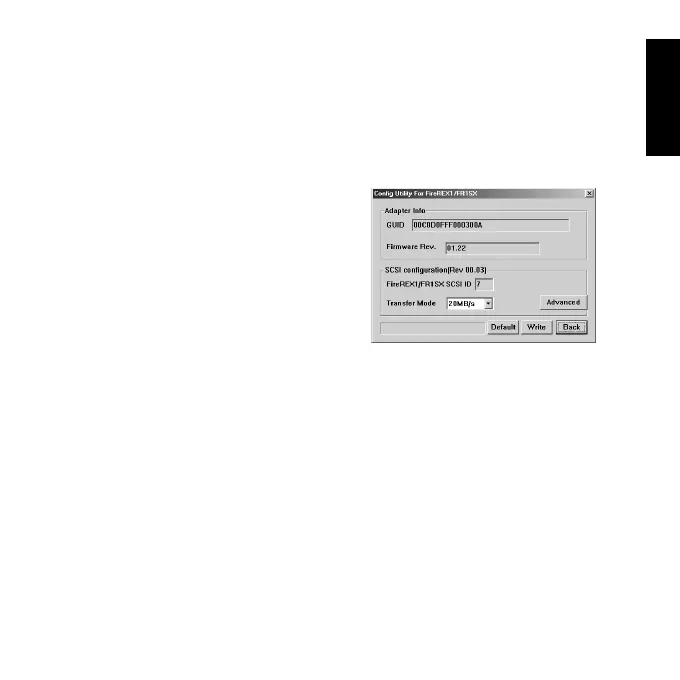
Follow the steps through to use the SCSI configuration utility.
[FireREX1/FR1SX SCSI ID] FR1SX SCSI ID is No. 7.
[Transfer Mode] Default value is 20MB/s.You can set Max transfer rate
from 20,10,5MB/s, Async.
[Advanced] When you click this button, the window shown in the next page
will appear.
[Default] When you click this button, the default settings will be loaded.
[Write]When you click this button, the settings will be loaded. Then, click
[Back] to go back to the main menu and click [EXIT] to finish the utility.
If you use Windows 2000, you have to restart your computer for your
changes to take effect. If you don’t use it, you don’t need to restart.
[Back] When you click this button, you go back to the main menu.
1)Start [FR Configuration]. Refer to Chapter
4-1-2 for how to start the FR Configuration.
2)Select the [Config Utility] button on the main
menu.
3)The following window will appear.
The setting items are as follows:



 To Next Page