Macintosh
38
4-2-2.Starting on Mac OS X
1)Connect the FR1SX to the FireWire port and turn on the SCSI device.
2)Insert the bundled CD-ROM.
3)Open the [FR1SX for OS X] folder and then, open the [FRUTY_OS_X].
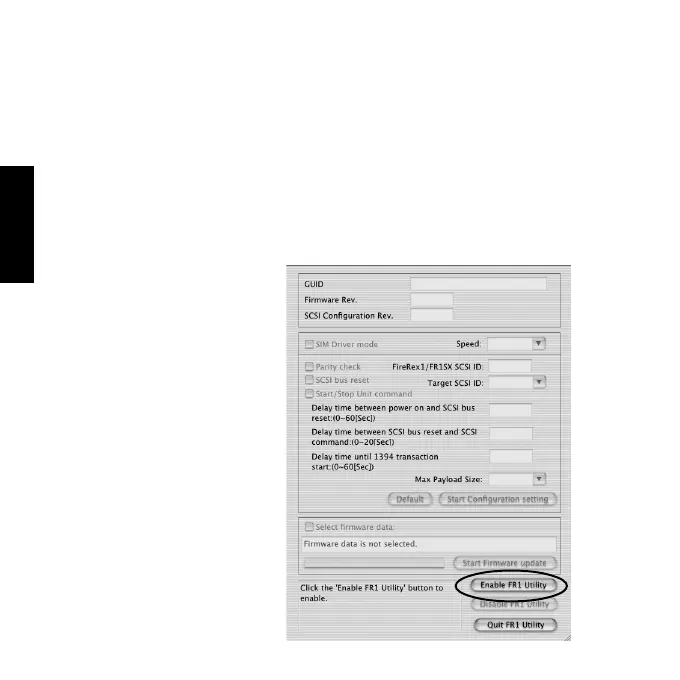
4)Start [FR1Utility]. The following window will appear. Clcik [Enable FR1
Utility].
With this firmware update utility, you can configure settings for the SCSI
device or update the old firmware data.



 To Next Page