Macintosh
32
A.How to update the FR1SX Firmware
With this firmware update utility, you can update the old firmware to the
latest one available through our web site.
1)Before starting this utility, make sure the following 4 points:
a.Open [Extensions Manager] and make sure selected set is [FIREREX1
CONFIGURATION] as described in Chapter 4-2-1.
b.Make sure the following two driver is enabled with [Extensions Manager].
-FireREX1APIDriver / FireREXLoaderDriver
c.Make sure the following two driver is disabled with [Extensions Manager].
-Authoring Support / FireWire Authoring Support/Disc Burner Extention
d.Don’t connect any1394 devices/repeaters to a PC/the FR1SX directly or
in between.
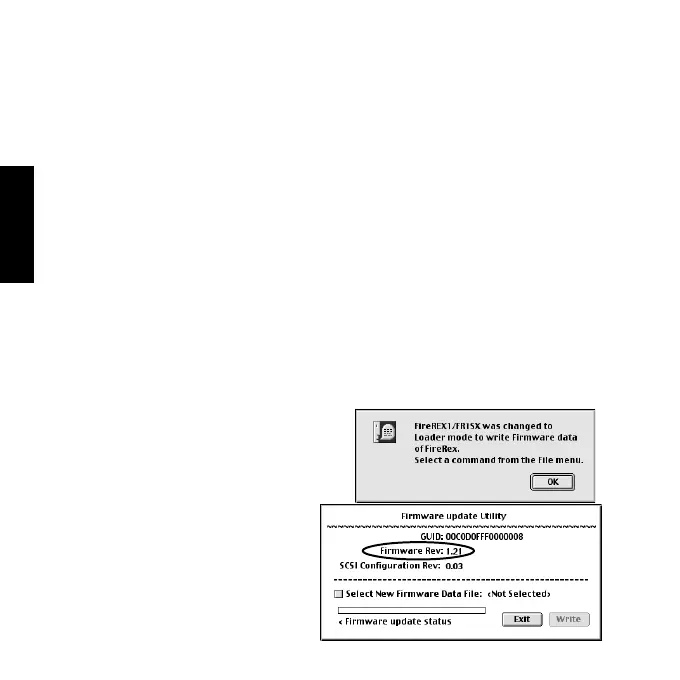
2)Open the [FRUTY] folder and start
[FR1 Utility].The following window
will appear. Click [OK].
3)Select [Firmware update Utility]
from the [File] menu. The following
window will appear. Firmware Rev
indicates the current firmware
revision the FR1SX has now.



 To Next Page