Macintosh
33
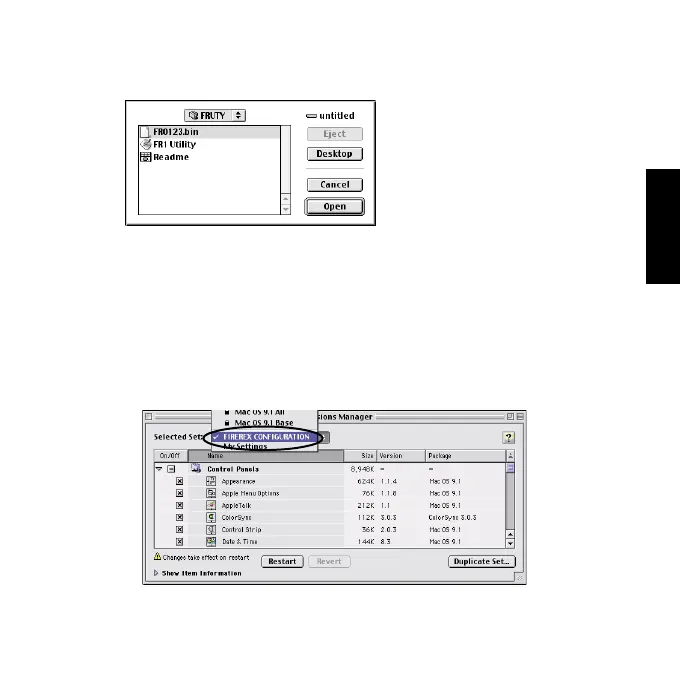
4)When you click [Select New Firmware Data File], the following
window will appear. Select new firmware data file and click [Open].
5)The window shown at the step 3) will appear again. Click [Write].
When the message says “Updating was successful”, click [OK].
Click [Quit] from the [File] menu.
6)Change selected set from [FIREREX CONFIGURATION ] to the
previous settings you used before with the [Extensions Manager]. Then,
restart your Mac for your chages to take effect.



 To Next Page