4
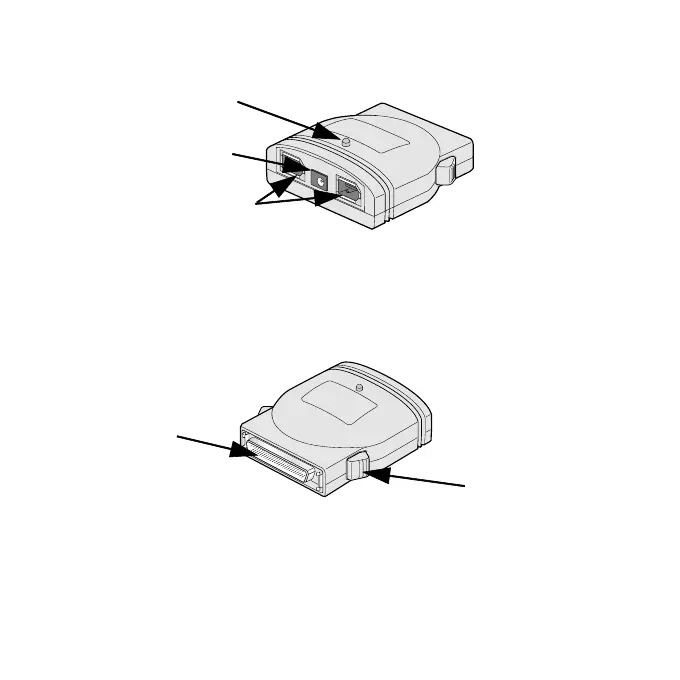
1-3.Front/Back Side Function
6 pin FireWire
(IEEE1394) port
AC Adapter jack
Power LED (Green)
Fig. 1 shows the front side layout of the FR1SX. Power LED light-on
state indicates the FR1SX is powered and ready to work. If this LED doesn’t
come on, refer to Chapter 5-4 and 7.
High-Density 50 pin
SCSI connector
Push Button
Fig. 2 shows the back side layout of the FR1SX. You can connect a
High-Density 50 pin SCSI device, using the Push Button. If you have a SCSI
device with a Low-Density Centronics 50 pin or DB25 connector, you can
order an OPTIONAL Adapter. In such a case , refer to Chapter 5-6 and 7.
Fig. 1 Front Side
Fig. 2 Back Side



 To Next Page